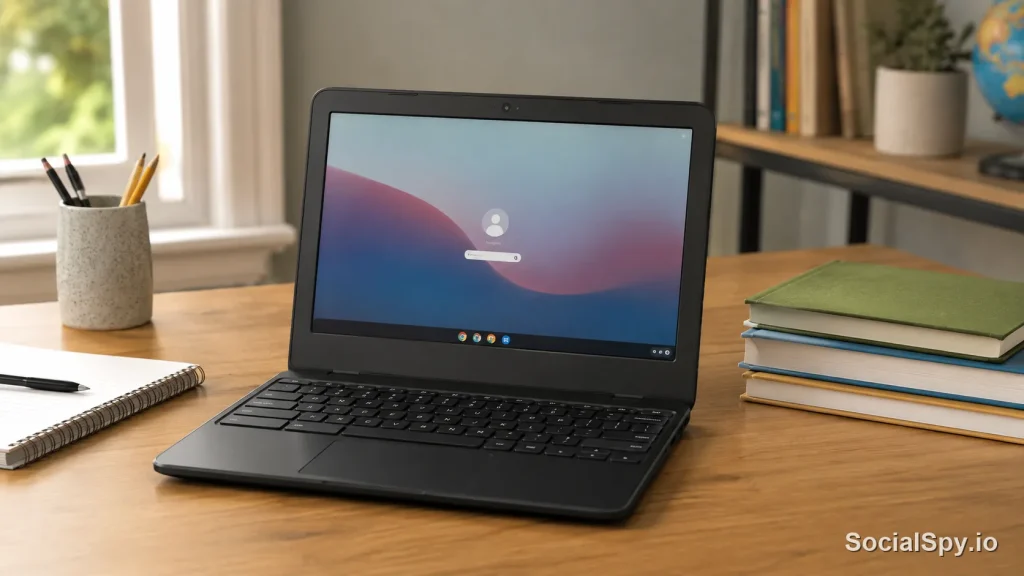
The Samsung Chromebook 3 was one of the most talked-about budget laptops of its era, a $179 machine that convinced millions of parents, students, and Chrome OS newcomers that you didn’t need to spend $1,000 to get a usable computer. Nearly a decade later, plenty of these units are still sitting in closets, thrift stores, and school surplus auctions. This review revisits the machine with fresh eyes in 2026, focusing on what it got right, what’s aged badly, and whether it deserves a spot in your bag today.
What the Samsung Chromebook 3 Actually Is
Samsung released the Chromebook 3 (model XE500C13) in late 2016, and it stuck around retail shelves well into 2018 because it sold so well. It targeted the same buyer as the original Chromebook line: students, budget-conscious households, and anyone who wanted a browser-first machine that booted instantly.
Here’s the core spec sheet that defined the experience:
| Component | Specification |
|---|---|
| Processor | Intel Celeron N3060 (dual-core, up to 2.48GHz burst) |
| RAM | 4GB LPDDR3 |
| Storage | 16GB or 32GB eMMC |
| Display | 11.6-inch HD, 1366×768, TN panel |
| Battery | Rated up to 11 hours |
| Weight | 2.54 lbs |
| Ports | USB 3.0, USB 2.0, microSD, 3.5mm audio (no USB-C) |
| Launch price | $179 (16GB) / $229 (32GB) |
Notice what’s missing: no USB-C, no touchscreen, no backlit keyboard, no fingerprint sensor. This was a machine built to a price point, and Samsung didn’t hide that.
What Held Up Surprisingly Well
Reviewers at launch, and users who kept these machines running for years, consistently praised a handful of things that had nothing to do with raw horsepower.
- Battery life was legitimately excellent for the price tier – real-world use often landed between 9 and 10 hours, close to Samsung’s claim, thanks to the low-power Celeron chip and low-res display.
- Build quality felt sturdier than the price suggested, with a matte plastic chassis that resisted fingerprints and flexed less than rivals like the Acer Chromebook 11.
- Fanless, silent operation meant zero noise complaints, ever – there’s no cooling fan in this design at all.
- Instant boot and simplicity made it a favorite for parents setting up a first computer for a kid, since Chrome OS’s Family Link controls layered on top cleanly.
Early reviews frequently called it “the Chromebook to beat under $200,” and that reputation is a big reason so many units are still floating around secondhand markets nearly a decade later.
Where It Struggled Even Back Then
The compromises were real, and they matter more now than they did in 2017.
- 4GB of RAM was tight even at launch. Ten-plus Chrome tabs plus a Google Docs session would trigger visible tab reloading.
- The 1366×768 display looked soft compared to even mid-range Windows laptops of the same era, with narrow viewing angles typical of TN panels.
- 16GB of base storage filled up fast once Android app support arrived on Chrome OS, since APKs and their data eat local space quickly.
- No USB-C meant no modern fast charging, no single-cable docking, and eventual incompatibility with newer chargers and accessories that assume USB-C as standard.
None of this made it a bad laptop for its era. It made it a laptop with a very specific, narrow lane: light browsing, Google Docs, YouTube, and basic schoolwork.
The Critical Issue in 2026: Auto Update Expiration
This is the part of the review that actually matters most for anyone considering a Samsung Chromebook 3 today. Every Chromebook has an Auto Update Expiration (AUE) date, the point after which Google stops sending it OS updates, security patches, and new Chrome browser versions.
The Samsung Chromebook 3’s AUE date passed back in 2024, roughly seven years after its original certification, which was the standard support window Google offered devices from that generation.
Here’s why that’s not a minor technicality:
- No more Chrome browser updates means sites and web apps increasingly fail to render correctly or reject the outdated browser entirely.
- No more security patches means known vulnerabilities in the OS and browser engine stay permanently unpatched.
- Google Play Store access and Android app updates degrade or stop working reliably once the underlying Chrome OS build is too old.
- Extensions and web apps built on modern APIs (WebGPU, newer WebAssembly features, etc.) simply won’t function.
Security researchers and IT administrators generally treat any device past its AUE date as unfit for handling passwords, banking, or sensitive personal data, regardless of how “fine” it still feels to use.
Is a Used Samsung Chromebook 3 Still Worth Buying in 2026?
If you stumble on one at a garage sale for $15, should you grab it? The honest answer depends entirely on what you plan to run on it.
If you plan to run stock Chrome OS
Don’t. It’s genuinely risky at this point, especially for anyone who’ll log into a Google account, enter payment info, or browse general web content. The security exposure outweighs the convenience for basically every use case except a fully offline, sandboxed kiosk.
If you’re willing to reflash it
This is where these old units get a second life. Two paths are popular among the refurbishing and right-to-repair community:
- ChromeOS Flex: Google’s free tool that installs a Chrome OS-like experience on old hardware, with its own separate, current update cycle independent of the original device’s AUE date. It runs acceptably on the Celeron N3060, though 4GB of RAM still limits multitasking.
- Lightweight Linux distros (like a minimal Xubuntu or a Chromebook-tuned build): More flexible, but requires unlocking the write-protect screw and flashing custom firmware (via projects like MrChromebox’s firmware utility), which is not beginner-friendly.
Either path can turn a $15 thrift-store find into a legitimate secondary web browsing machine, digital picture frame, or kid’s coding-practice laptop – just not a primary daily driver handling anything sensitive.
What to Buy Instead in 2026
For anyone shopping fresh rather than nostalgic, the budget Chromebook category has moved on considerably. Google’s Chromebook Plus certification, introduced in 2024, set a new minimum bar: at least an Intel Core i3 or equivalent, 8GB RAM, and a 1080p display, specifically to avoid the “underpowered budget Chromebook” reputation the original Chromebook 3 era helped create.
| Consideration | Samsung Chromebook 3 (2017) | Typical Budget Chromebook (2026) |
|---|---|---|
| RAM | 4GB | 8GB minimum on Chromebook Plus models |
| Display | 1366×768 TN | 1080p IPS standard |
| Update support | Expired | 10 years from platform launch (current policy) |
| Price | $179 new (then) | $300-$400 for Chromebook Plus tier |
| USB-C | No | Standard |
Google’s newer policy, which extends support to 10 years for devices launched from 2021 onward, is the single biggest reason a 2026 Chromebook purchase is a fundamentally safer long-term bet than anything from the Chromebook 3’s generation.
Who Should Still Consider One
There are a few narrow scenarios where a free or nearly-free Samsung Chromebook 3 still makes practical sense today.
- Kiosk or signage use where it never touches personal accounts or sensitive data.
- A learning project for someone curious about flashing ChromeOS Flex or Linux onto old hardware.
- A backup e-reader/YouTube-watcher for a household, kept off primary accounts.
- Parts or trade-in value – some recyclers and trade-in programs still credit small amounts for functional units.
For literally anything involving email, banking, schoolwork submission, or personal browsing with saved passwords, it’s time to retire the original OS on this machine.
Conclusion
The Samsung Chromebook 3 earned its reputation honestly – it was one of the best sub-$200 laptops of its generation, and the fact that so many units are still physically functional a decade later says a lot about Samsung’s build quality on this model. But hardware longevity and software longevity are two different things, and Chrome OS’s update lifecycle has firmly closed the door on this device as a safe daily driver. If you already own one, the ChromeOS Flex path is worth the hour it takes to set up. If you’re shopping fresh in 2026, put that same $150-$200 toward a used Chromebook Plus-era model instead – you’ll get a far more capable machine with years of update coverage still ahead of it, rather than years already behind it.
FAQ
Not for anything involving personal accounts, passwords, or banking, because it has passed Google’s Auto Update Expiration date and no longer receives security patches. It’s only reasonably safe if reflashed with ChromeOS Flex or a Linux distribution that provides its own independent update support.
No, once a Chromebook passes its AUE date, Google stops pushing new Chrome OS builds, which also freezes the built-in Chrome browser at its final supported version. Over time this causes more websites and web apps to stop working correctly or refuse the connection outright.
Look for a Chromebook Plus-certified model, which guarantees at least 8GB of RAM, a 1080p display, and roughly a decade of update support from launch. Budget options in this tier typically run $300 to $400 new, or less if bought refurbished from a reputable seller.