iPhone 13 Pro Battery Basics
The iPhone 13 Pro was the first iPhone with ProMotion, Apple's name for a display that can adjust its refresh rate up to 120Hz for smoother scrolling and animation. That's a genuinely nice feature, but it's also the first thing worth ruling out if your 13 Pro's battery life feels off, since a higher refresh rate does draw more power than a standard 60Hz screen.
What Made the iPhone 13 Pro Special
The 13 Pro was the first iPhone with ProMotion, Apple's adaptive up-to-120Hz display technology - a feature Android phones had offered for a while before Apple brought it to iPhone. It also introduced a smaller notch than previous Face ID iPhones, a third telephoto lens with improved macro photography, and Cinematic mode for shallow depth-of-field video, a genuinely new feature at the time.
How the iPhone 13 Pro Battery Ages
iOS is supposed to dynamically scale ProMotion down to lower refresh rates during static content (reading, typing, a mostly-still screen) to save power, and for most people that works well enough that ProMotion's impact on daily battery life is modest rather than dramatic. Underneath that display behavior, the actual battery cell ages the same way every iPhone battery does: it's rated to hold at least 80% of its original capacity through roughly 500 full charge cycles, and calendar time plus heat exposure matter just as much as how often you charge it. A 13 Pro that's a couple of years old has very likely put a real dent in that 500-cycle budget for anyone using it daily.
Signs You Need a Replacement
On the 13 Pro specifically, it's worth separating two different things before assuming you need a new battery: "the screen is drawing more power because of ProMotion" and "the battery has actually degraded." The first is normal and expected; the second is what a genuine replacement fixes. Battery Health dropping below 80% (Settings, then Battery, then Battery Health & Charging) is the more reliable signal of real degradation than subjective battery-life impressions, and unexpected shutdowns at non-zero charge are a clear sign either way.
What a Replacement Costs
As a Pro model, the 13 Pro typically costs more to service than the standard 13, reflecting its more complex internal layout and (at the time) more advanced camera and display hardware. Whether you're in or out of AppleCare+/warranty coverage with Battery Health under 80% is the single biggest factor in what you'll actually pay - free inside that coverage, a real cost outside it, with independent repair shops generally undercutting Apple's own pricing if you're paying out of pocket.
DIY vs. Professional Replacement
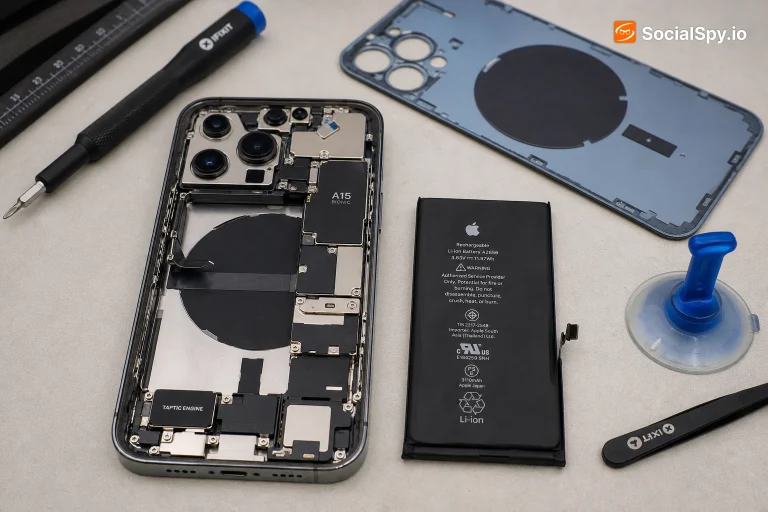
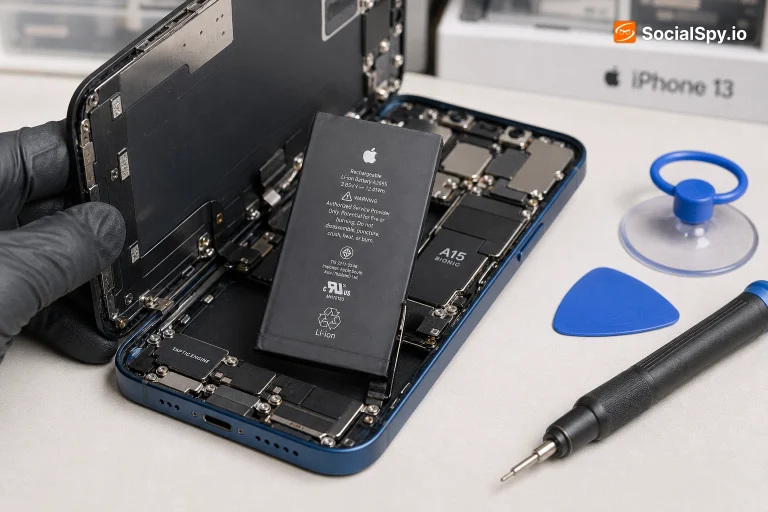
Like every recent iPhone, the 13 Pro's battery is held in with stretch-release adhesive strips rather than screws, and its Pro-tier internals are packed fairly tightly, which leaves less room for error during a DIY attempt than on a standard model. The genuine risk with any iPhone battery swap is puncturing the cell while trying to free it - that's a real safety issue, not just a wasted part - which is why professional repair remains the more cautious default unless you've done this kind of work before.
Tips to Make It Last Longer
If daily battery life on your 13 Pro feels short, checking whether ProMotion is behaving normally is worth doing before anything else - Settings, then Accessibility, then Motion has relevant controls, though most people never need to touch this since iOS manages it automatically. Beyond that, the usual habits apply: keep the phone out of prolonged heat, since temperature drives long-term battery wear more than charging patterns do, and leave Optimized Battery Charging enabled (it's on by default) to reduce time spent sitting at 100%.
Is the iPhone 13 Pro Still Worth It in 2026?
The 13 Pro still feels notably smooth to use in 2026 thanks to ProMotion, something that's easy to miss until you go back to a 60Hz phone. If buying used, Battery Health is the main thing to verify - ProMotion's extra power draw doesn't damage the battery any differently than normal use, so a well-maintained 13 Pro should show typical age-related wear rather than anything unusual. The camera system and macro photography still hold up well for everyday and even semi-serious photography.
Frequently Asked Questions
It uses more power than a standard 60Hz refresh rate, but iOS automatically scales it down during static content to conserve battery - it's a real but generally modest factor in daily battery life, not a major driver of long-term degradation.
They're similar in size; the Pro's more demanding hardware (ProMotion display, more powerful camera system) is what tends to affect real-world battery life more than the capacity itself.
At an Apple Store or authorized provider, often a few hours depending on parts availability; independent shops frequently offer faster same-visit turnaround, sometimes 30-60 minutes.
There's no direct single toggle for ProMotion itself, but reducing motion effects in Accessibility settings and keeping auto-brightness on both help iOS manage refresh rate and power draw more conservatively.