iPhone 15 Battery Basics
The iPhone 15 brought Dynamic Island and USB-C to the standard, non-Pro iPhone for the first time - two changes previously reserved for Pro models or entirely new to the lineup. Both were significant enough that the 15 felt like a bigger update than its predecessor-to-predecessor jumps typically are.
What Made the iPhone 15 Special
The 15 brought Dynamic Island to the standard iPhone lineup for the first time (previously Pro-exclusive), along with USB-C charging, replacing Lightning across the entire iPhone range after 11 years.
How the iPhone 15 Battery Ages
Standard lithium-ion aging applies - rated to hold at least 80% of original capacity through roughly 500 full charge cycles of typical use. Neither Dynamic Island nor USB-C meaningfully changes how the battery ages; day-to-day power draw is still driven primarily by display use, chip load, and cellular/Wi-Fi activity.
Signs You Need a Replacement
Check Battery Health (Settings, then Battery, then Battery Health & Charging) rather than judging from feel. A reading below 80% or unexpected shutdowns at non-zero charge are the reliable signs of real wear on this model.
What a Replacement Costs
As the standard model, the 15 sits toward the more affordable end of its generation's replacement pricing, similar to where the 14 sat relative to the 14 Pro. In-warranty or AppleCare+ coverage with Battery Health under 80% makes it free; independent shops are typically the cheapest paid option outside that coverage.
DIY vs. Professional Replacement
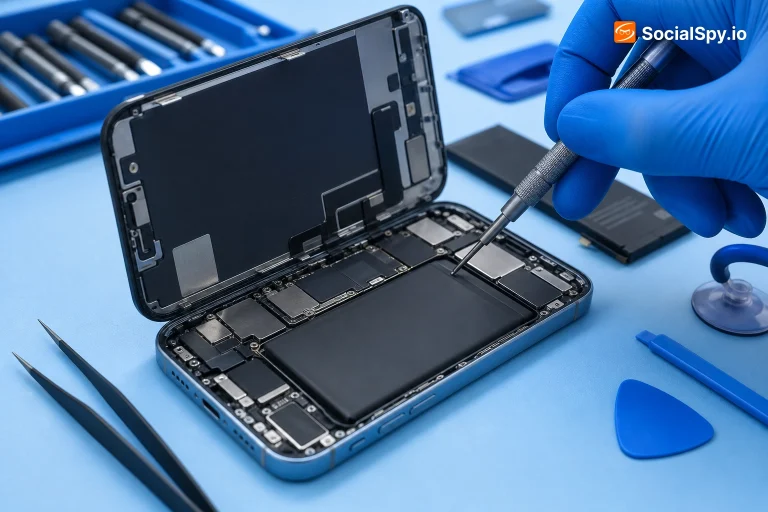
The 15 uses the same stretch-release adhesive battery mounting as recent iPhones, with a less densely packed layout than the Pro models. The core DIY risk - puncturing the cell while prying it free - is the same as any iPhone, making professional replacement the safer default for most people.
Tips to Make It Last Longer
The usual habits apply: avoid heat exposure, and leave Optimized Battery Charging enabled. With USB-C, using a properly-rated cable matters more than it did with Lightning, since not all USB-C cables support the same charging speeds.
Is the iPhone 15 Still Worth It in 2026?
The 15 is a solid choice if you want Dynamic Island and USB-C without Pro pricing - it remains competitive against newer standard-tier iPhones for typical daily use.
Frequently Asked Questions
Yes - it was the first standard, non-Pro iPhone to get Dynamic Island, previously exclusive to the 14 Pro and 14 Pro Max.
Yes - the entire 15 lineup switched from Lightning to USB-C, ending 11 years of the Lightning connector on iPhone.
Go to Settings, then Battery, then Battery Health & Charging. A reading below 80% is Apple's own threshold for recommending a replacement.