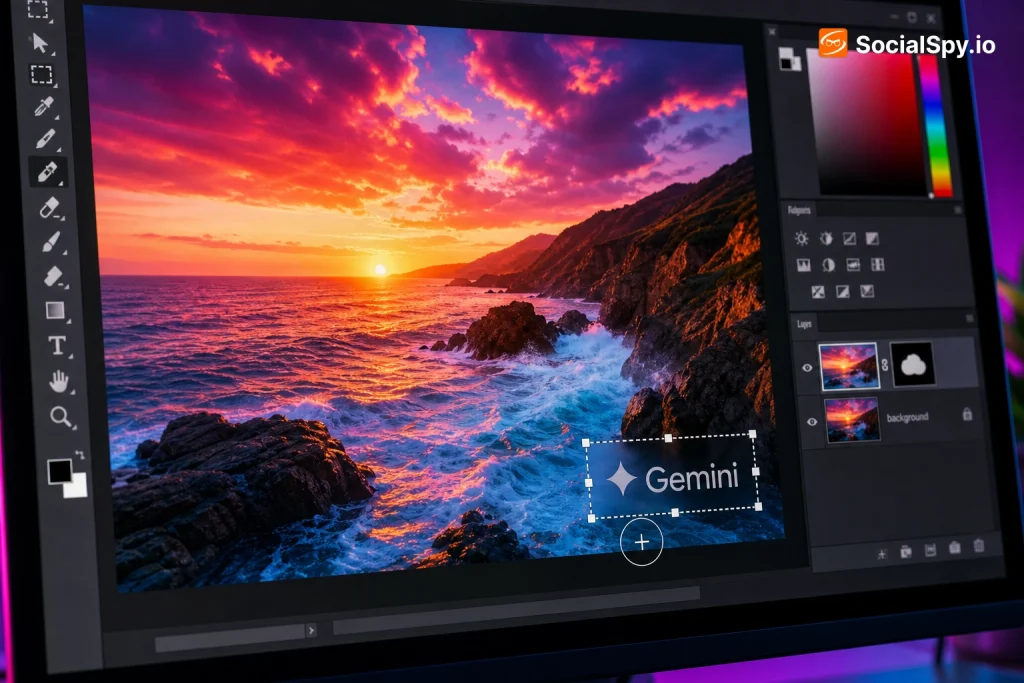
Google’s Gemini app has quietly become one of the most popular AI image generators in the US, and with that popularity comes a wave of questions about the small logo and invisible signal baked into every picture it creates. Whether you’re a marketer trying to use AI visuals commercially or a curious user who just wants a clean image, the watermark issue is more complicated than a simple crop-and-done fix. Here’s what’s actually happening under the hood, what you can legitimately do about it, and why most “watermark remover” tricks floating around Reddit and YouTube don’t work the way people think.
What Gemini’s Watermark Actually Is (There Are Two of Them)
Most people assume there’s one watermark on Gemini-generated images — the small logo they see in the corner. In reality, Google applies two separate layers of watermarking, and they behave completely differently.
- Visible watermark: A small Gemini “spark” icon or text label placed in a corner of the image, similar to what Bing Image Creator and Adobe Firefly do.
- Invisible watermark (SynthID): A cryptographic signal embedded directly into the pixel data of the image, developed by Google DeepMind and rolled out across Imagen 3, Imagen 4, and Veo video outputs.
SynthID doesn’t sit on top of the image like a logo — it’s woven into the actual pixel values in a pattern that’s imperceptible to the human eye but detectable by Google’s own verification tools. That distinction matters enormously for anyone trying to “remove” a watermark, because cropping out a corner logo does nothing to the underlying signal.
Industry researchers who’ve studied Google’s DeepMind watermarking papers note that SynthID was specifically engineered to survive common image transformations — including compression, resizing, screenshotting, and moderate color adjustments — which is precisely why it’s so difficult to strip out.
Why Cropping and Editing Tricks Don’t Actually Work
A lot of the “how to remove Gemini watermark” content circulating online recommends cropping the corner, running the image through a blur or clone-stamp tool in Photoshop, or using an online “AI watermark remover” site. These methods can eliminate the visible logo, but they leave the invisible SynthID signature almost fully intact.
What actually happens when you try common removal methods
- Cropping the corner — removes the visible icon but SynthID is distributed across the whole image, not concentrated in one spot, so it survives.
- Compressing or converting file format (PNG to JPEG) — SynthID was specifically stress-tested against compression and still detects at high confidence rates in Google’s published research.
- Screenshotting the image — surprisingly, this often preserves enough of the pattern that detection tools still flag it, especially at higher resolutions.
- Running it through third-party “AI watermark remover” web tools — many of these are ad-driven sites that do a basic blur/noise pass; they can degrade image quality without meaningfully touching the embedded signal, and some have been flagged by security researchers for uploading your images to unknown servers.
- Using generative AI inpainting to “regenerate” the watermark area — this can remove the visible logo cleanly but does nothing for SynthID since the rest of the pixel field remains untouched.
The practical takeaway: if your goal is just to get rid of the visible logo for a clean-looking image, some of these tricks work fine cosmetically. If your goal is to strip all traces that the image was AI-generated, that’s a much harder — and arguably not fully achievable — technical problem with current consumer tools.
The Legitimate Ways to Get Watermark-Free Gemini Images
Google does offer official paths that reduce or eliminate the visible watermark, mainly aimed at business and developer use cases rather than casual users trying to hide AI origin.
| Method | Removes visible logo? | Removes SynthID? | Who it’s for |
|---|---|---|---|
| Free Gemini app (consumer) | No | No | Everyday users |
| Gemini Advanced / Google AI Pro & Ultra plans | Sometimes, depending on export settings | No | Power users, creators |
| Vertex AI (Imagen API, enterprise) | Yes, with proper licensing | No (SynthID still applied) | Businesses, developers |
| Whisk and other Google Labs tools | Varies by tool | No | Experimental/creative use |
Even at the enterprise level, Google has been explicit that SynthID remains embedded regardless of subscription tier — it’s treated as a permanent provenance signal, not a premium feature you can pay to switch off. This is a deliberate policy decision, not a technical limitation Google forgot to patch.
If your real need is commercial-grade images without a visible logo, the more practical move for many creators is switching workflows entirely — using Adobe Firefly (which has its own Content Credentials system), Midjourney, or licensed stock libraries, rather than trying to defeat Gemini’s watermark after the fact.
Why Google Built It This Way (And Won’t Change It)
Understanding the “why” explains a lot about why removal is intentionally hard. Google has framed SynthID as part of a broader industry push toward AI content transparency, alongside the C2PA (Coalition for Content Provenance and Authenticity) standard that companies like Adobe, Microsoft, and OpenAI have also adopted in various forms.
- Misinformation concerns: With 2024 and 2026 election cycles bringing renewed scrutiny to AI-generated political imagery, Google has positioned SynthID as a defense against undetectable deepfakes.
- Regulatory pressure: Several US states, including California and Texas, have passed or proposed laws requiring disclosure of AI-generated content in political ads and certain commercial contexts.
- Platform policies: Meta, YouTube, and TikTok have all rolled out AI-content labeling requirements, and detectable watermarking helps automate that labeling at scale.
- Reputational risk: Google faced criticism in early 2024 over Gemini’s image generation controversies, and a robust, hard-to-remove watermark is partly a trust-rebuilding measure.
This context matters because it explains why Google treats watermark removal less like a feature request and more like a security bypass. SynthID’s entire value proposition collapses if it’s trivially removable, so the engineering incentive runs directly opposite to what “watermark remover” tutorials promise.
The Legal and Ethical Risks Most Guides Skip
This is the part most quick-fix tutorials leave out entirely, and it’s arguably more important than the technical details.
Terms of Service violations: Google’s Gemini and Imagen usage policies prohibit attempts to circumvent safety or provenance mechanisms, which can include deliberate watermark stripping for deceptive purposes. Violating these terms can result in account suspension.
Deceptive use liability: If a watermark-stripped image is used to misrepresent AI content as authentic — in journalism, evidence, marketing claims, or political material — the user (not Google) typically bears legal exposure under emerging state-level AI disclosure laws.
Platform-level consequences: Sites like Etsy, Amazon, and various stock photo marketplaces have begun requiring AI-content disclosure; submitting watermark-stripped AI images as “original” work can violate marketplace terms and lead to account bans or clawed-back earnings.
- Before attempting any removal, ask: is the goal cosmetic (cleaner-looking image for personal use) or deceptive (hiding AI origin from viewers who’d care)?
- If it’s the latter, most legal and platform risk sits entirely on you, not on the tool you used.
- Disclosure-friendly alternatives (labeling images as “AI-generated with Gemini”) carry essentially zero legal risk and are increasingly expected by audiences anyway.
If you’re building workflows around AI image generation for business use, it’s worth reading up on how to promote using Gemini AI to understand disclosure best practices that keep you compliant while still getting value from the tool.
Practical Alternatives If Watermarks Are a Dealbreaker
If the presence of any watermark — visible or invisible — is a hard blocker for your use case, the more realistic path is choosing a different generation pipeline rather than fighting Gemini’s built-in signal.
Options that avoid the problem entirely
- Use open-source models locally: Tools like Stable Diffusion (via Automatic1111 or ComfyUI) run on your own hardware and don’t apply any watermark by default, though this requires a decent GPU and more technical setup.
- License stock or human-created imagery: Platforms like Shutterstock and Getty still offer traditionally shot photography with zero AI provenance questions attached.
- Commission human illustrators or photographers: For commercial projects where authenticity matters (real estate, product photography, editorial), original human-created work sidesteps the entire issue.
- Use Gemini for ideation, then recreate manually: Many designers use Gemini or Imagen to generate a concept or composition reference, then rebuild the final asset in Photoshop or Illustrator, which produces a genuinely original file.
- Check if your use case even requires watermark-free: Many commercial licenses (social media posts, blog headers, internal presentations) are completely fine with a small visible logo — the anxiety around watermarks is often bigger than the actual practical need to remove them.
If you’re weighing Gemini against other AI tools for your workflow, it’s also worth comparing how competitors handle this — the breakdown in ChatGPT vs Claude vs Gemini: Which AI Chatbot Should You Use in 2026 covers image and content generation differences across the major platforms.
What SynthID Detection Actually Looks Like in Practice
It’s worth understanding how detection works, because it explains why “just edit it a bit” strategies fail so consistently. Google has released a SynthID detection portal (currently expanding access beyond initial research partners) that analyzes an uploaded image and returns a confidence score on whether it was generated by a Google model.
- Detection works by analyzing statistical patterns across the entire pixel grid, not by searching for a specific “watermark shape.”
- Confidence scores remain high even after moderate cropping (removing up to roughly half the image in testing scenarios described in DeepMind’s published research).
- Heavy transformations — significant upscaling, aggressive noise addition, or converting to very low resolution — can degrade detection confidence but often destroy enough image quality that the result isn’t usable anyway.
- Google has indicated it plans to extend SynthID-style detection to third-party AI models eventually, as part of industry-wide provenance efforts alongside C2PA members.
This is fundamentally different from older, simpler watermarking (like a semi-transparent logo you could clone-stamp out in five minutes), and treating it the same way leads to disappointing results.
Conclusion
The honest answer to “how to remove Gemini AI watermark” is that you can strip the visible corner logo fairly easily, but you cannot reliably eliminate the invisible SynthID signature with consumer-grade tools — and Google designed it that way on purpose. Rather than chasing removal tricks that mostly just degrade your image quality without achieving true anonymity, the smarter moves are either embracing transparent disclosure (which carries zero legal risk and growing audience expectation), switching to a generation pipeline that never applies a watermark in the first place, or accepting that a small visible logo genuinely doesn’t matter for most everyday use cases. As AI content labeling laws expand across more US states through 2026, betting your workflow on defeating provenance systems is a shrinking strategy — building around disclosure and licensing clarity is the one that actually holds up.
FAQ
You can remove the visible logo using free cropping or inpainting tools, but free “AI watermark remover” websites typically cannot strip the invisible SynthID signal embedded in the pixels, and some of these sites pose privacy risks by uploading your images to third-party servers.
Removing the watermark itself isn’t illegal in most cases, but using a watermark-stripped AI image to deceptively pass it off as human-created — especially in political, journalistic, or commercial-claim contexts — can violate state-level AI disclosure laws and platform terms of service, putting legal risk on the user rather than the tool.
Paid tiers can remove or reduce the visible corner logo depending on export settings, but Google has confirmed that the invisible SynthID watermark remains embedded in every image regardless of subscription level, since it’s treated as a permanent provenance feature rather than a paid add-on.