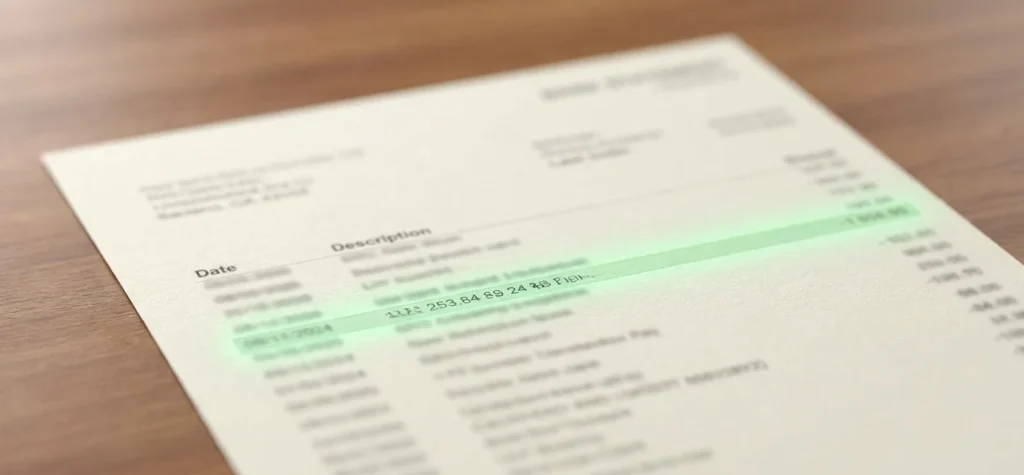
Citibank cardholders searching for “ChatGPT” on their monthly statement usually fall into one of two camps: people trying to decode a mysterious charge, or bank employees and IT teams trying to figure out whether the tool is even allowed on the network. Both questions have concrete, specific answers rooted in how OpenAI bills subscribers and how large financial institutions govern AI tools internally.
What the Charge Actually Looks Like on Your Statement
OpenAI, the company behind ChatGPT, doesn’t process its own card payments directly. Like most subscription software companies, it routes transactions through a payment processor, which is why the line item on your Citi statement rarely reads simply “ChatGPT.”
Depending on your plan and billing region, you’ll typically see one of these descriptors:
- OPENAI *CHATGPT SUBSCR — the most common format for monthly ChatGPT Plus billing
- OPENAI CHATGPT — a shorter variant used on some Citi Double Cash and Citi Custom Cash statements
- OPENAI, LLC — occasionally appears for API-related or business-tier charges
- OPENAI *API — shows up if you’re billed through the developer API rather than the consumer app
The asterisk in these descriptors is standard for card-network formatting; it’s not a typo and doesn’t indicate anything suspicious. Citibank pulls these strings directly from the payment processor’s settlement file, so the exact spacing and capitalization can shift slightly between statement cycles without any change to your actual subscription.
Industry payment analysts note that inconsistent merchant descriptors are one of the top reasons cardholders file unnecessary disputes — the charge is legitimate, but the naming convention looks unfamiliar.
Why Bank Statement Descriptors Don’t Match App Names
This confusion isn’t unique to OpenAI. Nearly every subscription-based app you use funnels through an intermediary, and Citibank’s statement system simply displays whatever descriptor that intermediary submits.
How the billing chain actually works
- You enter card details inside the ChatGPT app or web dashboard.
- OpenAI’s billing partner (historically Stripe for most consumer subscriptions) processes the charge.
- The card network (Visa or Mastercard) forwards a settlement record to Citibank.
- Citibank posts the transaction using whatever merchant name and category code came through that record.
Common lookalike charges people confuse with ChatGPT
| Statement Descriptor | Actual Service |
|---|---|
| OPENAI *CHATGPT SUBSCR | ChatGPT Plus, Team, or Pro subscription |
| OPENAI *DALL-E | Legacy image-generation credits (mostly phased out) |
| MSFT *COPILOT | Microsoft’s separate AI product, unrelated billing |
| GOOGLE *GEMINI ADV | Google’s competing AI subscription |
If you’re on the free tier of ChatGPT, you shouldn’t see any charge at all — OpenAI has steadily expanded what’s available without payment, a shift covered in detail in the piece on how ChatGPT brings unlimited text chats to free users. A charge appearing despite you believing you’re on the free plan is one of the clearest signals to check your account settings for an accidental upgrade or a family member’s linked card.
Citibank’s Internal Policy on Employee ChatGPT Use
The other reason “ChatGPT on Citibank” gets searched constantly has nothing to do with a bank statement — it’s about whether Citigroup employees are allowed to use the tool on company devices.
Like most large regulated banks, Citigroup restricted broad, unmonitored access to public generative AI tools starting in 2023, and by 2026 that governance framework has matured significantly rather than loosened. The core concern was never that the technology is bad — it’s that pasting client data, trading strategies, or internal code into a consumer-facing chatbot creates a data-leakage risk regulators care deeply about.
Why banks lock this down
- Data residency and confidentiality — Anything typed into a public ChatGPT session can theoretically be logged, retained, or used for model improvement depending on settings, which conflicts with banking secrecy obligations.
- Regulatory exposure — Financial regulators including the OCC and Federal Reserve expect banks to document exactly where sensitive data travels, and a third-party AI vendor complicates that chain of custody.
- Model hallucination risk — A compliance officer citing a fabricated regulation or an incorrect interest calculation pulled from an unverified chatbot answer creates real legal exposure.
- Shadow IT — Employees using personal ChatGPT accounts on work laptops bypass every security control the bank has built for approved software.
Instead, Citigroup and peer institutions like JPMorgan Chase and Bank of America have built internally hosted, firewalled AI assistants trained or fine-tuned on approved data, often licensing the underlying model technology from OpenAI, Microsoft Azure OpenAI Service, or Anthropic while keeping the data pipeline entirely inside the bank’s own cloud tenant. Citi’s internal assistant tooling, rolled out progressively since 2024, lets employees get similar productivity benefits — drafting memos, summarizing documents, generating code — without the raw prompts and outputs ever leaving Citi’s controlled environment.
What Employees and Contractors Should Actually Do
For anyone working at or with Citibank who’s unsure about the rules, the safest posture is straightforward: assume the public consumer version of ChatGPT is off-limits for anything touching client information, and confirm what internal alternative your team has been given.
Key practical steps:
- Check your onboarding or compliance portal for an “Approved AI Tools” list — most banks now publish one explicitly.
- Never paste account numbers, SSNs, or internal memos into any consumer AI chatbot, even briefly, even if you delete the message after.
- Use company-issued AI credentials only — if IT has provisioned a Citi-branded or Azure-hosted AI assistant, that’s the one covered by the bank’s data protection agreements.
- Report shadow AI usage you observe — most banks now treat unauthorized AI tool use as a policy violation similar to unauthorized software installs.
If you did previously use a personal ChatGPT account for anything work-adjacent before policies tightened, cleaning up that history matters more than most people realize — both for personal privacy and to reduce the footprint of anything sensitive you may have typed in a moment of convenience. The walkthrough on how to delete ChatGPT history covers exactly how to purge conversations, and pairing that with a review of what’s stored locally is worth doing if you’re at all uncertain what synced where — a concern also addressed in the explainer on whether ChatGPT uses your desktop memory.
Spotting Fraud vs. a Legitimate Renewal
Back on the consumer statement side, not every “OpenAI” charge you don’t recognize is fraud, but not every one is legitimate either. Here’s how to tell the difference quickly.
Signs it’s a real renewal
- The amount matches ChatGPT Plus ($20/month), ChatGPT Pro ($200/month), or Team pricing (around $25–30 per user/month billed annually) as of current 2026 pricing.
- It lands on the same date each month, matching your original signup date.
- You (or a family member on a shared plan) recall creating an OpenAI account with this card.
Signs worth investigating
- The charge amount doesn’t match any published OpenAI tier.
- Multiple “OPENAI” charges appear the same day.
- You have no OpenAI account associated with the email tied to that card.
If something looks off, Citibank’s dispute process works the same way it does for any other merchant: log into the Citi app, tap the transaction, and select “Dispute a Charge,” or call the number on the back of the card. Citi typically issues a provisional credit within 10 business days while it investigates, per standard Regulation E and Regulation Z timelines that apply to most consumer card disputes.
Before disputing, it’s worth logging into your actual OpenAI account at chatgpt.com/settings to check billing history — if a subscription is listed there matching the charge, canceling it directly with OpenAI is far faster than a bank dispute, and you avoid the temporary card freeze that sometimes accompanies formal fraud claims.
What This Means If You’re Managing a Team or Business Card
Small business owners and finance managers reconciling expense reports run into a slightly different version of this problem: dozens of employees may be individually expensing ChatGPT subscriptions on company Citi cards, each showing the same generic descriptor with no way to tell who’s using what tier.
This is exactly the kind of sprawl that pushed OpenAI to build ChatGPT Team and ChatGPT Enterprise plans with centralized admin billing — one line item, one invoice, instead of a dozen scattered “OPENAI *CHATGPT SUBSCR” charges across different employee cards. If your Citi business statement is cluttered with repeat OpenAI charges from multiple cardholders, consolidating onto a single Enterprise or Team seat license is usually cheaper and dramatically easier to audit.
Businesses that rely on ChatGPT for internal workflows — extracting data from long conversation logs for compliance archiving, for instance — should also be aware of how much manual work is involved in pulling full account records, a process laid out in the guide on how to do a full data extraction from ChatGPT, since consolidating billing doesn’t automatically consolidate historical chat data from individual employee accounts.
And for anyone worried that a sudden mysterious charge or account change might signal something bigger going on with the service itself, it’s worth noting that recurring rumors about the platform’s stability tend to be overstated — the breakdown on whether ChatGPT is shutting down addresses why continued billing is, if anything, a sign the service is running normally rather than a red flag.
Conclusion
“How does ChatGPT appear on Citibank” really splits into two very different but equally practical questions, and both have clean answers. On your personal or business statement, expect a processor-generated descriptor like OPENAI *CHATGPT SUBSCR rather than a friendly “ChatGPT” label, and treat mismatched amounts or duplicate charges as your cue to check your OpenAI billing dashboard before disputing anything with the bank. Inside Citigroup itself, the public version of ChatGPT remains largely off-limits for client-facing work under the bank’s AI governance policy, with employees directed instead toward internally hosted, compliance-approved AI tooling — a pattern mirrored across nearly every major regulated bank as of 2026. Understanding both sides means you’ll never mistake a routine subscription renewal for fraud, and you’ll know exactly why your coworker at the branch can’t just open ChatGPT.com on their work laptop to draft a client email.
FAQ
Citibank displays whatever merchant descriptor the payment processor and card network submit during settlement, and OpenAI registers its billing entity under variations of “OPENAI” rather than the consumer product name “ChatGPT.” This is standard practice across most subscription software companies, not something specific to Citi.
Generally not the public consumer version for anything involving client, trading, or internal confidential data, due to data-leakage and regulatory concerns that apply broadly across major banks. Most employees instead use an internally hosted, firewalled AI assistant that the bank has vetted and that keeps data inside its own controlled environment.
First check your OpenAI account billing history at chatgpt.com/settings to confirm whether an active subscription matches the amount and date. If there’s no matching account or subscription, contact Citibank to dispute the charge as unauthorized, which typically triggers a provisional credit while the claim is investigated.