In an age where cyber threats are increasingly sophisticated, protecting your online accounts has never been more critical. One of the most effective methods to safeguard your personal information is through Two-Factor Authentication (2FA). This guide will walk you through what 2FA is, how it works, and why you should consider implementing it across your digital life.
What is Two-Factor Authentication?
Two-Factor Authentication (2FA) is an additional security layer used to ensure that people trying to gain access to an online account are who they say they are. First, a user enters their username and a password. Then, instead of immediately gaining access, they will be required to provide another piece of information. This second factor could be one of the following:
- Something you know: A personal identification number (PIN), an additional password, or answers to “secret questions”.
- Something you have: A physical device such as a smartphone, security token, or smart card.
- Something you are: Biometric verification using fingerprints, voice recognition, or facial recognition.
This additional step significantly reduces the risk of unauthorized access, as hackers would need more than just your password to breach your account.
How Does Two-Factor Authentication Work?
The process of 2FA generally involves the following steps:
- Login Attempt: You enter your username and password into the login page of a website or service.
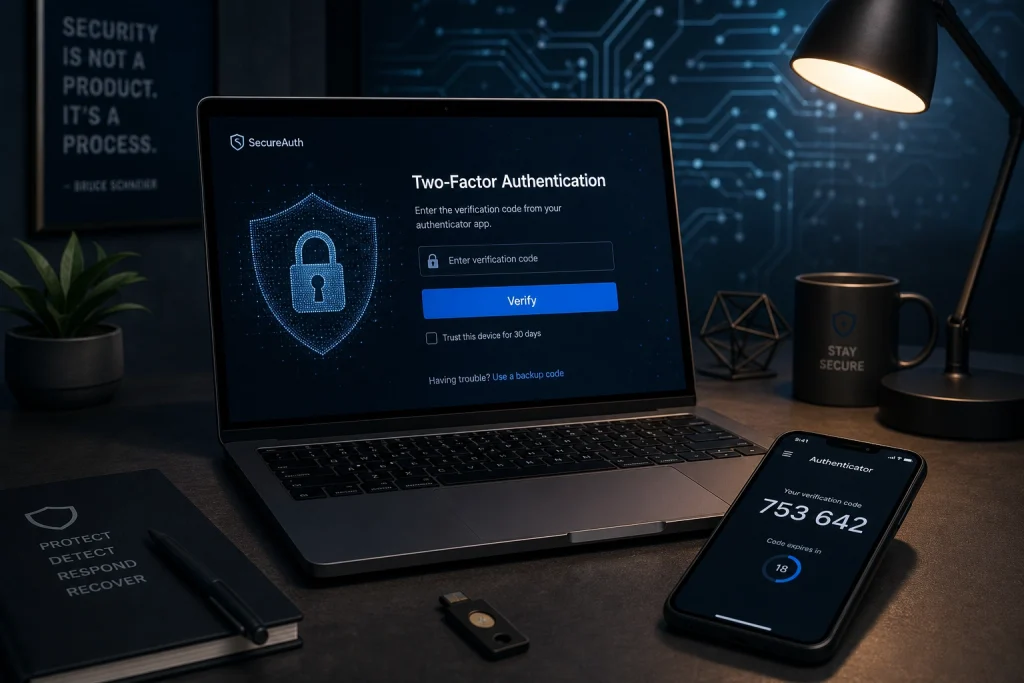
- Verification Request: The system prompts you to complete the second step of verification, which could be entering a code sent to your phone via SMS, using an authenticator app, or approving a notification.
- Verification Completion: Once you provide the correct second factor, you are granted access to your account.
In essence, 2FA combines something you know (your password) with something you have or something you are, making it much more difficult for cybercriminals to compromise your accounts.
Benefits of Using Two-Factor Authentication
Implementing 2FA offers several advantages that can significantly enhance your online security:
- Enhanced Security: Even if your password is stolen or guessed, the second factor of authentication acts as a robust defense line, thwarting unauthorized access.
- Protection Against Phishing: 2FA helps safeguard against phishing attacks, where hackers trick you into revealing your password, as they would still need the second factor to access your account.
- Peace of Mind: Knowing that your accounts have an added layer of security can provide peace of mind, especially when dealing with sensitive information or financial data.
- Cost-Effective: Many 2FA methods, such as authenticator apps or SMS codes, are free, making it a cost-effective security measure.
By adopting 2FA, you are proactively taking steps to protect your digital identity and personal information.
How to Set Up Two-Factor Authentication
Setting up 2FA can vary slightly depending on the service or platform, but the general process is straightforward:
- Access Security Settings: Log in to your account and navigate to the security or account settings page.
- Select Two-Factor Authentication: Find the option to enable 2FA and follow the prompts. You may be asked to choose your preferred method of verification, such as SMS, email, or an authenticator app.
- Follow the Setup Instructions: Each method has its own setup process. For instance, an authenticator app may require you to scan a QR code, while SMS verification might involve entering a code sent to your phone.
- Secure Backup: Most services offer a backup option in case you lose access to your second factor. It is advisable to note these recovery codes and store them in a safe place.
Once 2FA is set up, you might also have the option to mark trusted devices, reducing the need to verify your identity every time you log in from the same device.
Conclusion
In a world where our digital identities are constantly at risk, Two-Factor Authentication stands out as a simple yet powerful tool to enhance your online security. By requiring two forms of identification, 2FA provides a formidable barrier against unauthorized access to your accounts. The peace of mind that comes with knowing your sensitive information is protected makes the few extra seconds it takes to complete the authentication process well worth it. Whether it’s a personal email, social media account, or online banking, enabling 2FA is a step toward a more secure digital presence.
FAQ
What if I lose access to my second factor?
If you lose access to your second factor, such as your smartphone, most services offer recovery options. These can include backup codes provided during the setup of 2FA. It is crucial to store these codes securely. Additionally, some platforms allow you to set up multiple backup methods, such as secondary email addresses or alternative phone numbers.
Does Two-Factor Authentication guarantee complete security?
While Two-Factor Authentication significantly enhances security, it is not foolproof. It is a strong deterrent against unauthorized access but should be part of a broader security strategy, including strong, unique passwords and regular monitoring of account activity for suspicious behavior.
Can Two-Factor Authentication be used on all my accounts?
Many popular services and platforms, including email providers, social media networks, and financial institutions, offer Two-Factor Authentication. However, not all services support it. It is advisable to enable 2FA wherever possible and check if your preferred services offer this additional security layer.