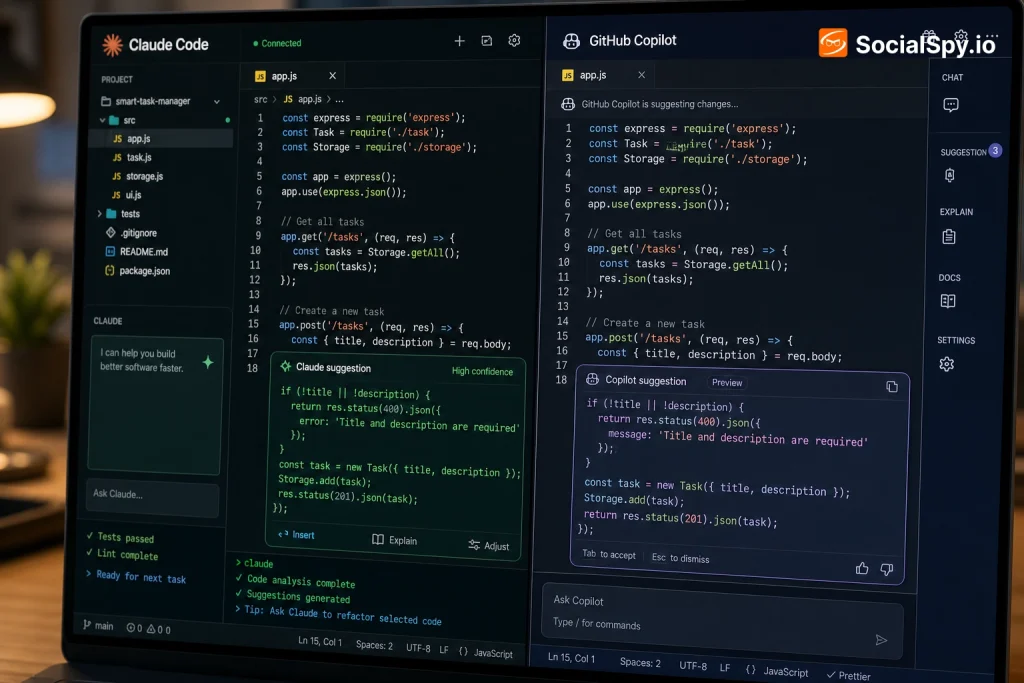
Two years ago, “AI coding assistant” mostly meant autocomplete on steroids. In 2026, it means something closer to a junior engineer who can plan a refactor, write the tests, and open a pull request while you get coffee. Claude Code and GitHub Copilot are the two names developers argue about most when picking that engineer.
What Each Tool Actually Is
These two products started from different premises, and that history still shapes how they behave today.
GitHub Copilot began in 2021 as an inline autocomplete tool powered by OpenAI’s Codex model, living inside your editor and suggesting the next few lines as you type. It has since grown into Copilot Workspace and Copilot Chat, with agent modes that can execute multi-step tasks, but its DNA is still “assist the human who’s typing.”
Claude Code, launched by Anthropic in 2025 and now on its third major iteration, was built from the ground up as an agentic terminal tool. You give it a goal — “migrate this Express app to Fastify” — and it reads the codebase, plans the work, edits files, runs tests, and reports back.
- Claude Code: command-line first, agent-native, model is Claude Opus 4.5 or Sonnet 4.5 depending on plan
- GitHub Copilot: IDE-embedded first, autocomplete-native with bolted-on agent features, model choice includes GPT-5.1, Claude, and Gemini options
- Shared trait: both now support “agent mode” that can autonomously edit multiple files and run shell commands
Industry analysts tracking developer tool adoption note that the two products have converged in capability but not in philosophy — Copilot still optimizes for staying in your flow state, while Claude Code optimizes for delegating entire tasks.
Head-to-Head: Features and Daily Workflow
The practical difference shows up the moment you open each tool. Copilot lives quietly in your editor’s sidebar; Claude Code lives in your terminal, next to your shell prompt, git commands, and build scripts.
Where Copilot Wins
Copilot’s inline suggestions are still remarkably fast and unobtrusive. If you’re writing routine CRUD endpoints, test boilerplate, or repetitive config files, ghost-text completions save real keystrokes without asking you to context-switch.
- Native integration across VS Code, JetBrains, Visual Studio, Xcode, and Neovim
- Copilot Chat now handles PR summaries, code review comments, and vulnerability scanning inline
- Tight integration with GitHub Issues, Actions, and Pull Requests since it’s the same company
- Works well for developers who want AI help without leaving their existing editor habits
Where Claude Code Wins
Claude Code shines on tasks that span dozens of files or require sustained reasoning — the kind of work that used to eat an entire afternoon.
- Handles large refactors, dependency upgrades, and cross-file bug hunts autonomously
- Can be scripted and run headlessly in CI pipelines, not just interactively
- Better at holding long context about why a codebase is structured a certain way
- Extended thinking mode catches edge cases in complex logic that autocomplete-style tools tend to miss
Anyone testing extended agentic workflows should also check how the tool behaves after version bumps, since agent behavior can shift meaningfully between releases — this guide on how to update Claude Code walks through keeping your CLI current without breaking existing project configs.
Pricing and Plans Compared
Cost structures diverge sharply, and this is often the deciding factor for solo developers versus enterprise teams.
| Feature | Claude Code | GitHub Copilot |
|---|---|---|
| Entry price | Free tier + Pro at $20/month | Free tier + Pro at $10/month |
| Higher tier | Max plan at $100–$200/month for heavy usage | Business at $19/user/month |
| Enterprise | Custom API-based billing via Anthropic Console | Copilot Enterprise at $39/user/month |
| Usage model | Token/message-based limits by plan tier | Mostly unlimited completions, capped agent requests |
| Billing owner | Anthropic directly, or AWS Bedrock/GCP Vertex | Microsoft/GitHub, often bundled with existing licenses |
The nuance that trips people up: Copilot’s cheaper tiers feel unlimited for autocomplete but throttle agent-mode requests, while Claude Code’s pricing scales with how much reasoning-heavy agent work you actually run. A developer doing light autocomplete all day might pay less on Copilot; a developer running Claude Code overnight to refactor a monorepo can burn through Max-plan quota fast.
- Solo hobbyists: Copilot’s $10/month Pro tier is the cheapest entry point
- Freelancers doing heavy refactors: Claude Code Pro or Max often pays for itself in saved hours
- Enterprises with existing GitHub seats: Copilot Enterprise avoids new vendor onboarding
- Teams already on Anthropic’s API for other products: Claude Code integrates into existing billing
Real-World Coding Performance
Benchmark scores matter less than how each tool behaves on messy, real codebases — legacy code with inconsistent naming, half-finished migrations, and undocumented business logic.
On SWE-bench Verified, a benchmark measuring real GitHub issue resolution, Claude models (particularly Opus 4.5 and Sonnet 4.5) have consistently posted some of the highest scores among publicly available coding models throughout 2026. Copilot’s underlying models vary by which one you select, so its ceiling depends partly on whether you’re routing to GPT-5.1 or Claude within the Copilot interface itself.
- Bug localization: Claude Code tends to trace root causes across multiple files more reliably, since it reads broader context before editing
- Test generation: Both tools generate plausible unit tests, but Claude Code more consistently identifies edge cases tied to actual business logic
- Large refactors: Claude Code’s agent loop (plan → edit → run → verify) reduces the “looks right but breaks the build” problem common with pure autocomplete tools
- Quick snippets: Copilot’s inline suggestions are faster for one-off functions since there’s no agent planning overhead
One underrated factor: quality assurance workflows. Teams building test suites around AI-assisted code have started treating the agent itself as a QA partner rather than just a code generator — a pattern explored in this breakdown of using Claude Code for QA automation, which shows how the same agentic loop that writes code can also write and run regression tests against it.
Ecosystem, Extensibility, and Team Fit
Beyond raw coding ability, the surrounding ecosystem often decides which tool sticks in a team’s daily workflow.
Copilot’s biggest structural advantage is that it’s made by GitHub, which means it’s already where your repos, issues, and Actions live. Enterprise IT departments generally find Copilot easier to approve because it inherits GitHub’s existing compliance certifications (SOC 2, FedRAMP in some tiers) and admin controls.
Claude Code’s advantage is flexibility for developers who don’t want to be locked into one IDE. Because it’s terminal-native, it works the same whether you’re in VS Code, a raw SSH session on a remote server, or scripting it inside a CI job.
- Copilot fits best when: your org already standardizes on GitHub, Azure, or Microsoft 365, and you want low-friction procurement
- Claude Code fits best when: your workflow is terminal-heavy, you use multiple editors, or you need agentic automation outside a GUI
- Both fall short when: your codebase has extremely sensitive proprietary logic and your compliance team hasn’t cleared either vendor’s data-handling terms
This same “agent operating outside a single app” trend is showing up elsewhere in the industry too — Meta’s push into large-codebase agents follows a similar logic, as covered in this look at Meta’s Muse Code agent, which was built specifically to reason across sprawling internal repositories the way Claude Code does for external developers.
Limitations Neither Tool Has Fully Solved
Neither product is a magic fix, and developers who’ve used both for months report similar recurring friction points.
- Hallucinated APIs: Both tools occasionally invent method names or library functions that don’t exist, especially with less common frameworks
- Context window costs: Feeding either tool an entire large repo burns tokens fast, and both charge more (directly or via rate limits) for that context
- Over-eager agents: Claude Code’s autonomy is a double-edged sword — unsupervised agent runs can make sweeping changes you didn’t intend without careful prompt scoping
- Security review gaps: Copilot’s vulnerability scanning catches known patterns but isn’t a substitute for a real security audit
- Model routing confusion: Copilot users often don’t realize which underlying model handled a given request, making inconsistent output harder to debug
A recurring theme among engineering leads adopting either tool broadly in 2026: the productivity gains are real, but only when paired with strong code review discipline — treating AI output as a first draft, not a merge-ready commit.
It’s worth noting this pattern of “powerful but needs guardrails” isn’t unique to coding tools. The same tension shows up across generative AI more broadly, whether it’s comparing chatbot capabilities across ChatGPT, Claude, and Gemini or evaluating how AI agents are reshaping developer workflows more generally — the tools are only as good as the review process wrapped around them.
Conclusion
The Claude Code versus GitHub Copilot debate isn’t really about which model is “smarter” in the abstract — it’s about matching tool philosophy to workflow. If your day is spent writing incremental code inside an IDE and you want fast, unobtrusive suggestions, Copilot’s autocomplete-first design and lower entry price still make sense, especially inside a GitHub-centric org. If your work involves large refactors, cross-file debugging, or automating tasks outside a single editor window, Claude Code’s agent-native architecture and stronger reasoning on complex tasks generally deliver more value per hour, even at a higher price point. Many serious engineering teams in 2026 aren’t choosing one exclusively — they’re running Copilot for daily autocomplete and reserving Claude Code for the gnarly, multi-file jobs neither tool used to handle well a year ago.
FAQ
GitHub Copilot is generally friendlier for beginners because its inline suggestions appear as you type inside familiar editors like VS Code, teaching syntax and patterns incrementally. Claude Code’s terminal-first, agent-driven workflow assumes more comfort with command-line tools and can feel overwhelming for someone still learning basic programming concepts.
Yes, many developers run both simultaneously without conflict, since Copilot operates inside the IDE for line-by-line suggestions while Claude Code runs in the terminal for larger agentic tasks. The main consideration is cost, since you’d be paying for two subscriptions, plus keeping git commits clean if both tools are editing files in overlapping sessions.
Yes, GitHub Copilot added model choice in 2025 and now lets users select from several underlying models including versions of Claude alongside GPT-5.1 and Gemini within the Copilot Chat interface. This means the “Claude Code vs Copilot” comparison sometimes overlaps, since you can technically access a Claude model through Copilot, though the agentic capabilities and terminal integration still differ from using Claude Code directly.