Does Instagram tell people when you screenshot their content? The answer depends entirely on what you’re capturing — a disappearing photo, a Story, a DM, or a regular post — and Instagram’s rules haven’t been consistent across these features since the app launched.
What Actually Triggers a Screenshot Notification
Instagram’s screenshot detection is narrower than most people assume. It only applies to a specific corner of the app: disappearing photos and videos sent through direct messages, the ones marked to be viewed once or that self-destruct after being opened.
- Regular Stories: No notification, regardless of how many times someone replays or screenshots your Story.
- Regular DMs (permanent photos/videos): No notification for screenshotting standard messages that stay in the chat.
- Disappearing photos/videos (view once): Sender is notified if the recipient takes a screenshot before the media disappears.
- Vanish Mode messages: Screenshots inside Vanish Mode chats can also trigger a notification, depending on app version.
- Posts, Reels, and profile grids: Never trigger a notification, no matter how many times they’re saved or captured.
Instagram’s own help documentation confirms this scope: screenshot alerts exist specifically for disappearing media in Direct, not for the app’s broader content surfaces like feed, Reels, or Stories.
This distinction trips people up constantly, because the assumption is that “screenshot detection” is a blanket Instagram feature. It’s not — it’s a narrowly scoped anti-leak measure for content Instagram designed to be ephemeral.
Stories: The Feature Everyone Gets Wrong
Instagram briefly tested screenshot notifications for Stories back in 2018, then quietly killed the feature within weeks after backlash and technical inconsistency. It has never returned, and Meta has given no indication it’s coming back in 2026.
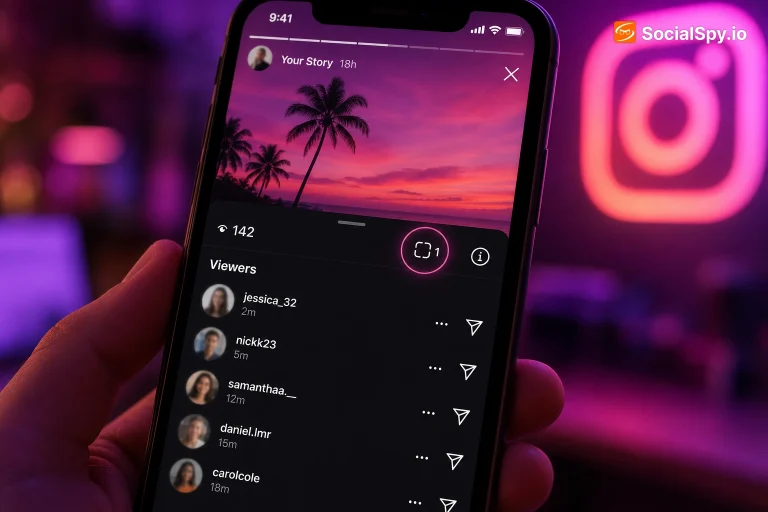
Here’s what actually happens when someone screenshots your Story today:
- The viewer takes the screenshot using their phone’s native screenshot function.
- Instagram registers nothing — no flag, no alert, no log entry visible to you.
- Your Story viewers list still shows that person viewed it, but with no distinction for whether they captured it.
- The screenshot appears instantly in the viewer’s camera roll, fully saved, with zero trace left in the app.
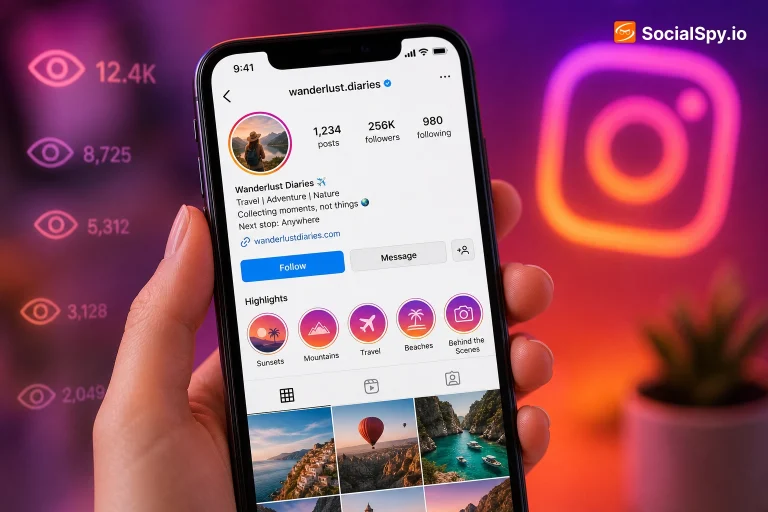
This matters most for creators managing Story Highlights, since those tend to accumulate views over weeks or months and often contain more personal or business-sensitive content than a 24-hour Story. If you’re curious about who’s engaging with your saved content longer-term, it’s worth understanding whether you can see who views your Highlights on Instagram, since that visibility works differently than the temporary Story view list and has its own quirks around what data actually persists.
Direct Messages: Where the Real Notification System Lives
Direct Messages are the one place where screenshot behavior genuinely varies, and it’s worth breaking down by message type since the confusion here causes real relationship and business fallout.
| Message Type | Screenshot Notification? | Notes |
|---|---|---|
| Standard photo/video (stays in chat) | No | Recipient can screenshot freely, no alert sent |
| Disappearing photo/video (view once) | Yes | Sender gets a notification the moment it’s captured |
| Vanish Mode chat | Yes (usually) | Applies to the whole thread while Vanish Mode is active |
| Text messages | No | Never triggers a notification, even in Vanish Mode |
| Voice notes | No | Audio content is exempt from screenshot alerts |
Even within disappearing media, there’s a known gap: screen recording isn’t reliably detected by Instagram. Someone can screen-record a view-once photo on many devices without triggering the same alert a screenshot would, because Instagram’s detection relies on system-level screenshot APIs that don’t always extend to screen recording software or third-party capture tools.
This is a meaningful loophole. Anyone relying on Instagram’s notification system as a privacy guarantee for sensitive photos is trusting a feature that’s inconsistently enforced across iOS, Android, and different OS versions.
Why Instagram Built This System (and Its Limits)
Meta introduced disappearing media and its screenshot alert as a direct response to Snapchat, which pioneered the “notify on screenshot” mechanic for self-destructing content back in 2013. The logic is straightforward: if content is designed to vanish, the sender deserves to know if someone preserved it anyway.
But the system has real, well-documented limitations that make it more of a deterrent than a lock:
- No detection on older Android skins: Some manufacturer-specific Android builds (older Xiaomi, Huawei, and some budget devices) don’t reliably trigger Instagram’s screenshot flag.
- Third-party screen mirroring tools (used for recording on a second device, or using another phone/camera to photograph the screen) bypass detection entirely.
- Rooted or jailbroken devices can often disable the notification system altogether.
- Delayed or missing notifications have been reported even on stock iOS and Android when the app hasn’t fully synced.
Because of these gaps, Instagram’s screenshot notification functions more like a social speed bump than a technical barrier. It discourages casual screenshotting from people who don’t want to get caught, but it does nothing against anyone motivated enough to use a second device or an older phone.
What This Means for Creators, Businesses, and Everyday Users
The practical implications shift depending on who’s using the app and why. A teenager sending a disappearing selfie has very different stakes than a brand account posting Reels for engagement.
For everyday users
- Assume anything you post to feed, Stories, or Reels can be screenshotted silently and shared elsewhere.
- Only disappearing DMs and Vanish Mode carry any notification risk for the recipient — plan sensitive content accordingly.
- Screen recording is a known workaround, so even “protected” disappearing content isn’t fully safe from capture.
For creators and businesses
- Screenshot activity on your posts, Reels, or Stories isn’t trackable, so engagement metrics (likes, saves, shares, comments) remain your only real signal of what’s resonating.
- If you’re building an audience from scratch, understanding platform mechanics like this matters less than consistent posting strategy — something covered in depth in guides on how to grow on Instagram as an artist, where visibility and screenshot-proof content strategy actually intersect with algorithm behavior.
- Niche accounts, like education-focused pages, face similar exposure questions; anyone starting a teacher Instagram page should assume classroom photos or student-adjacent content posted publicly can be screenshotted and redistributed without any alert system protecting them.
For platform comparison purposes
It’s also worth noting Instagram’s approach differs from competitors. TikTok, for instance, has no native screenshot notification system at all for any content type, disappearing or otherwise — a distinction that matters for creators weighing where to post, especially given the ongoing debate over Instagram Reels vs TikTok and which platform gives creators more control over content leakage.
Common Misconceptions That Keep Circulating
A lot of outdated or simply wrong information about this topic keeps recirculating on forums and social media threads. Here’s a cleanup of the most persistent myths.
- Myth: “Instagram tells you when someone screenshots your profile.” False — profile views aren’t tracked at all, let alone screenshots of them.
- Myth: “If I screenshot someone’s post, they’ll see it in their notifications.” False — regular feed posts have zero screenshot detection.
- Myth: “Screen recording a Story is safer than screenshotting it.” True in the narrow sense that neither triggers a notification for Stories, since Stories were never covered by the detection system to begin with.
- Myth: “Instagram used to notify for Story screenshots and still does on some accounts.” False — the 2018 test was pulled from all accounts; no version of the current app restores it.
- Myth: “Business accounts get extra screenshot alerts creators don’t.” False — account type has no bearing on this feature; it’s tied entirely to content type (disappearing DM vs. everything else).
The persistence of these myths says something about how little Meta has communicated around this feature since 2018. There’s no dedicated settings page explaining screenshot behavior, no in-app tooltip, and the help center language is easy to misread if you don’t parse it carefully.
Conclusion
Instagram’s screenshot notification system is far more limited than most users believe — it exists only for disappearing DMs and Vanish Mode chats, not for the Stories, Reels, posts, or profiles that make up the bulk of what people actually worry about. Combine that narrow scope with the reliable workaround of screen recording, and the honest takeaway is that screenshot alerts function as a mild deterrent rather than a privacy guarantee. Anyone sharing sensitive content on Instagram in 2026 should operate under the assumption that anything visible on screen can be captured and saved somewhere, notification or not — the platform’s technical limits simply haven’t kept pace with how content actually spreads once it leaves the app.
FAQ
No. Instagram tested Story screenshot notifications briefly in 2018 and removed the feature within weeks; it has never been reintroduced, so Stories can be screenshotted without any alert sent to you.
Not reliably. Instagram’s detection is built around each device’s native screenshot function, and screen recording apps or external capture methods (like filming the screen with another camera) often bypass this system entirely, even for disappearing DMs.
No, only disappearing photos and videos (view once media) and messages sent within Vanish Mode trigger a screenshot notification. Standard photos, videos, and text messages that remain permanently in a chat thread can be screenshotted freely with no alert sent to the sender.