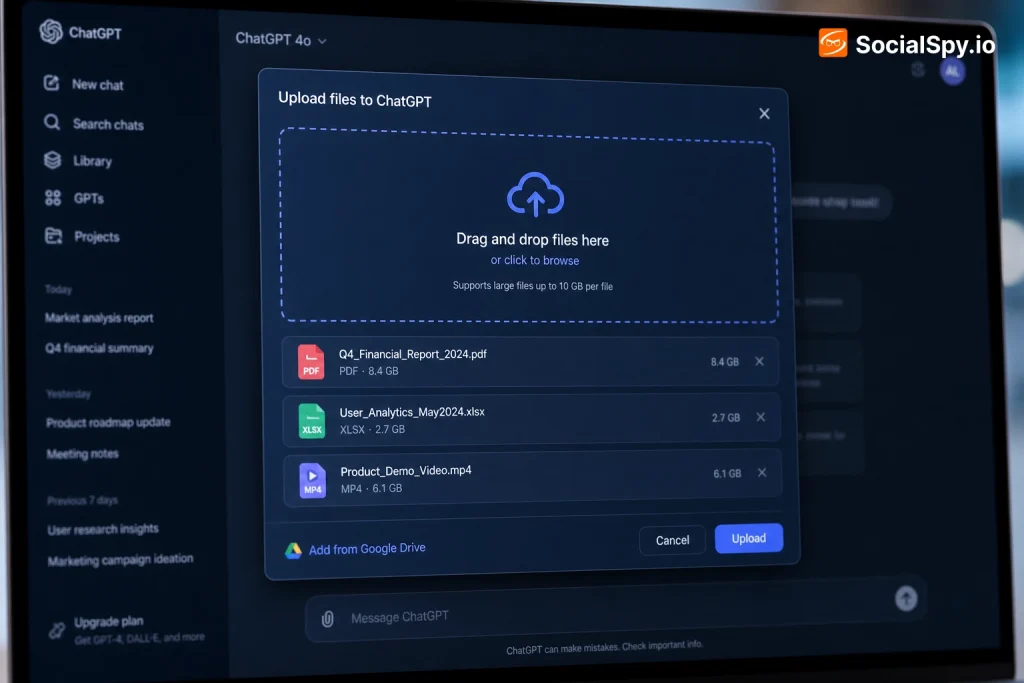
Uploading a hefty PDF, dataset, or codebase to ChatGPT often ends the same way: a spinning wheel, a vague “there was an error processing your file,” or a response that clearly only read the first few pages. This isn’t a bug — it’s a hard architectural limit that most users never see explained anywhere. Here’s what’s actually happening under the hood, and how to get a genuinely large file into ChatGPT (or a smarter alternative) without losing your data or your patience.
Why ChatGPT Chokes on Big Files
The upload limit isn’t the real bottleneck — the context window is. Every model has a maximum number of tokens (roughly 4 characters each) it can hold in working memory at once, and a big file has to compete with your prompt, the system instructions, and the conversation history for that same space.
Here’s how the math actually breaks down across OpenAI’s current lineup:
| Model | Context window | Approx. word capacity |
|---|---|---|
| GPT-4o (default in ChatGPT) | 128,000 tokens | ~96,000 words |
| GPT-4o mini | 128,000 tokens | ~96,000 words |
| o1 / o1-pro (reasoning models) | 200,000 tokens | ~150,000 words |
| GPT-4 Turbo (legacy) | 128,000 tokens | ~96,000 words |
A 400-page PDF can easily contain 200,000+ words. That means even before you factor in your questions and ChatGPT’s answers, a single large document can blow past what the model can actually hold in memory — regardless of whether the upload itself succeeded.
When a file exceeds the context window, ChatGPT doesn’t fail loudly. It silently truncates or summarizes chunks, which is why answers about “the last chapter” or “page 380” often come back wrong or vague.
The Real Upload Limits, Plan by Plan
OpenAI has quietly changed these numbers several times, and the documentation is scattered. Based on current behavior across tiers:
| Plan | Max file size | Files per conversation | Notes |
|---|---|---|---|
| Free | 512MB per file | Limited daily uploads | Fewer GPT-4o uploads allowed per day |
| Plus ($20/mo) | 512MB per file | Up to 10–20 files | Higher daily upload allowance |
| Team/Enterprise | 512MB per file | Up to 20 files per GPT | Larger usage caps, admin controls |
| Custom GPTs (Knowledge) | 512MB per file, 20 files total | 20 files | Uses retrieval, not full-context reading |
Two things trip people up constantly:
- Images are capped much lower than documents — typically around 20MB — even though the 512MB ceiling applies to PDFs, spreadsheets, and text files.
- 512MB is a storage limit, not a comprehension limit. ChatGPT will happily accept a 480MB CSV and then only meaningfully “understand” a fraction of it once it’s converted to tokens.
Browser Extensions That Actually Help
This is where third-party Chrome and Edge extensions earn their keep. They don’t bypass OpenAI’s server-side limits — instead, they run their own preprocessing layer: splitting your file into chunks, generating embeddings, storing them in a vector database, and only feeding ChatGPT the specific passages relevant to your question. That’s functionally how tools like ChatPDF and NotebookLM work too.
The extensions worth using in 2025
- Sider AI — A sidebar extension that supports chatting with PDFs well beyond ChatGPT’s native comprehension range by chunking documents before querying. It also lets you switch between GPT-4o, Claude, and Gemini in the same interface, which matters if a file is too large for one model but fits another.
- Merlin — Offers a dedicated “Chat with PDF/Doc” mode that indexes the document separately from the main chat, useful for research papers and long contracts.
- Monica — Similar sidebar approach, with OCR support for scanned documents, which matters because scanned PDFs often fail silently in native ChatGPT uploads.
- Superpower ChatGPT — Doesn’t add file intelligence per se, but adds folder organization, conversation export, and prompt chaining, which helps when you’re manually feeding a large file in sequential chunks.
- WebChatGPT — Focused on live web browsing rather than files, but useful if your “large file” is actually a webpage or a long article you’d otherwise have to copy-paste.
What these extensions can’t fix
- They can’t increase OpenAI’s actual token limit inside a single response — they just get you closer to the right 5% of a huge document.
- Free tiers of most of these extensions cap the number of PDF pages or queries per day (often 10-30 pages on the free plan).
- Accuracy depends on their chunking/embedding quality — a badly split table or code block can lose critical context, especially in technical documents.
Step-by-Step: Getting a 200MB+ File Into ChatGPT
If you don’t want to rely on an extension, here’s the manual workflow that consistently works, in order of how much effort each step takes.
- Compress first. Run the file through a tool like 7-Zip or convert scanned PDFs to text-based PDFs — this alone often cuts file size by 60-80% with zero data loss.
- Split by logical sections, not arbitrary page counts. Use a PDF splitter to break a 300-page manual into chapters rather than even 50-page blocks — it keeps context coherent for follow-up questions.
- Convert to plain text when formatting doesn’t matter. A .txt file of the same content is often a fraction of the size of a .docx or .pdf, since you strip out fonts, images, and formatting metadata.
- Use Code Interpreter (Advanced Data Analysis) for structured data. For spreadsheets or CSVs, ChatGPT’s built-in Python environment can programmatically read a large file in chunks and summarize it, rather than trying to load it all into the prompt at once.
- Paste a cloud link instead of the raw file, when possible. For Google Docs or Sheets, sharing a public link and asking ChatGPT to reference specific sections (after you copy-paste the relevant text) avoids the upload pipeline entirely.
- Use the OpenAI API with the Assistants/Files endpoint for anything recurring. The API supports the same 512MB per-file limit but uses vector store retrieval automatically, and it’s scriptable — useful if you’re repeatedly feeding large files rather than doing it once in the ChatGPT UI.
When ChatGPT Isn’t the Right Tool
Sometimes the honest answer is that ChatGPT simply isn’t built for the file you’re holding. Context window size varies wildly across competitors, and for truly massive documents, that gap matters more than any extension can fix.
| Tool | Context window | Best for |
|---|---|---|
| ChatGPT (GPT-4o) | 128K tokens | General use, coding, everyday documents |
| Claude 3.5 Sonnet | 200K tokens | Long contracts, books, dense technical PDFs |
| Gemini 1.5 Pro | Up to 2 million tokens | Entire codebases, hour-long video transcripts, massive datasets |
| Google NotebookLM | Effectively unlimited via source grounding | Research with 50+ source documents at once |
If you’re regularly working with files above 500 pages, or need to cross-reference dozens of documents simultaneously, Gemini 1.5 Pro’s million-token window is genuinely a different category of tool — not just a bigger version of ChatGPT. Google made this generally available through the Gemini API and AI Studio, and it’s the closest thing to “just upload the whole thing” that currently exists.
Common Errors and How to Fix Them
Most “large file” frustration comes down to a handful of repeatable failure patterns:
- “Error processing file” with no explanation — Usually means the file exceeds 512MB or is a corrupted/scanned PDF without an OCR text layer. Run it through OCR software like Adobe Acrobat or a free tool like OCRmyPDF first.
- ChatGPT answers as if it only read the intro — The file was too large for the context window, and only the first chunk got meaningfully processed. Ask targeted questions about specific sections instead of “summarize this whole file.”
- Upload succeeds but responses are inconsistent between messages — This happens when ChatGPT re-retrieves different chunks each time rather than holding the whole file in memory. Reference page numbers or section titles explicitly to force more consistent retrieval.
- Extension says “PDF too large” on the free tier — Nearly every PDF-chat extension gates page count on free plans (commonly 25-30 pages); this is a monetization limit, not a technical one, and upgrading the extension’s own subscription (not ChatGPT Plus) fixes it.
Conclusion
The frustration people feel with “ChatGPT extensions and large files” almost never comes from a single fixable bug — it comes from stacking three separate limits on top of each other: OpenAI’s 512MB upload cap, the model’s 128K-200K token context window, and whatever additional page limit a third-party extension imposes on its free tier. Understanding which of those three is actually blocking you changes the fix entirely. A compression problem needs a smaller file; a comprehension problem needs chunking or a bigger-context model like Gemini 1.5 Pro; a workflow problem needs a better extension like Sider or Merlin. Treat these as three different diagnoses, not one mystery error, and the “large file” problem stops being mysterious.
FAQ
ChatGPT’s native uploader caps individual files at roughly 512MB for documents, spreadsheets, and text files, though images are limited to around 20MB. That said, accepting the upload and actually comprehending all of it are two different things, since the model’s 128K-200K token context window is usually the tighter real-world constraint.
No, they work around it rather than removing it. These extensions split your document into chunks, convert those chunks into embeddings, and only feed ChatGPT the specific passages relevant to your question, which lets you effectively query a document far bigger than the model could ever hold in its context window at once.
If you’re regularly working with files over 300-400 pages or need to reference multiple large documents at once, yes — Gemini 1.5 Pro supports up to 2 million tokens and Claude 3.5 Sonnet supports 200K tokens, both of which handle bulk documents more gracefully than ChatGPT’s 128K-token GPT-4o. For occasional large files, though, compressing the file or using an extension is usually faster than switching platforms entirely.