Screenshotting someone’s Instagram content used to feel like a small, private act — until Snapchat trained an entire generation to worry about getting caught. Instagram’s rules are different, and they’ve changed more than once over the years, which is exactly why so much confusion still floats around in 2026.
What Instagram Actually Notifies You About
Instagram’s notification system is far more limited than most people assume. The platform tracks a lot of activity behind the scenes, but it only surfaces a small slice of that data to the person being screenshotted.
Here’s the current breakdown of what triggers a notification versus what doesn’t:
| Content Type | Screenshot Notification? |
|---|---|
| Regular feed posts | No |
| Regular Instagram Stories | No |
| Instagram Reels | No |
| Profile photos/bios | No |
| Disappearing photos/videos in DMs | Sometimes (view-once/vanish mode) |
| Regular DM text messages/screenshots | No |
Notice the pattern — almost everything is a “no.” The single exception involves ephemeral media, meaning content designed to disappear after being viewed once inside Direct Messages. That’s a deliberate design choice tied to privacy expectations around vanishing content, not a blanket surveillance feature across the whole app.
This is a frequent source of confusion, and it’s a topic covered in more depth in a companion piece on whether Instagram shows screenshots, which breaks down the mechanics post by post.
Stories vs. Posts vs. DMs: The Real Rules
People often assume Instagram treats all content the same way, but Stories, feed posts, and DMs each operate under separate logic.
Instagram Stories
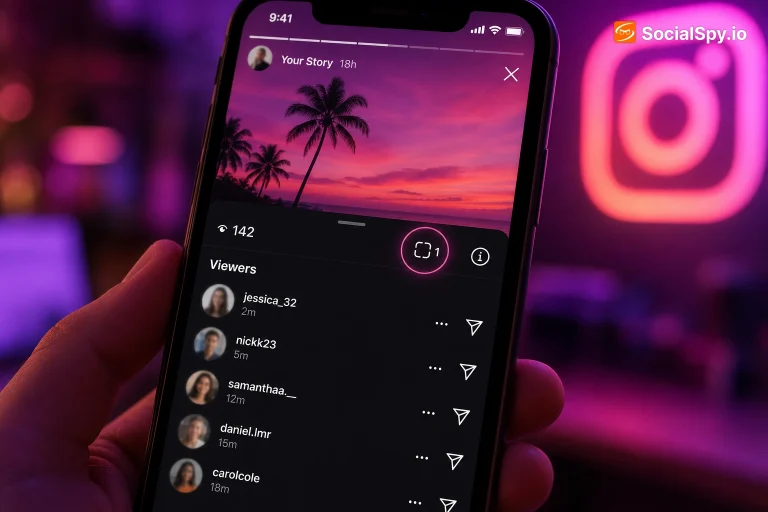
Stories get the most attention because they’re temporary by nature, which makes users assume there’s extra protection. That assumption is wrong.
- Screenshotting a Story does not notify the person who posted it.
- This has been true consistently since around 2018, when Instagram quietly removed the screenshot alert feature it briefly tested.
- You can screenshot a Story as many times as you want with zero record sent to the original poster.
This is different from what many users remember from Snapchat, where screenshotting a snap has historically triggered an alert. Instagram deliberately moved away from that model. For a deeper dive into how Story-viewing data actually works (including who can see you viewed something, separate from screenshotting), the breakdown in can you tell if someone screenshots your Instagram story covers the nuance in detail.
Feed Posts and Reels
Feed content has never had screenshot notifications, full stop. There’s no toggle, no setting, no hidden permission that changes this — Meta has never built this capability into the main feed or Reels experience.
- Saving a post to your camera roll: silent
- Screen-recording a Reel: silent
- Screenshotting a carousel post: silent
Direct Messages
DMs are where things get more layered, and where Instagram’s actual notification logic lives.
- Standard text messages — no screenshot alert, ever.
- Regular photos/videos sent in chat (that stay in the thread) — no alert.
- Disappearing photos/videos (the ones marked to view once or play once) — screenshot alert is sent in most current app versions.
- Vanish Mode conversations — screenshots can trigger a notification, though behavior has varied by app version and platform (iOS vs. Android have shown inconsistencies).
Why Instagram’s Screenshot Policy Keeps Confusing Users
A lot of the confusion stems from Instagram’s own history of testing and rolling back features. In 2018, Instagram briefly tested a screenshot notification for Stories in a small batch of app versions, then abandoned it entirely after user backlash.
That short-lived test is still referenced in old blog posts, Reddit threads, and even some outdated “how-to” guides circulating today — which is exactly why outdated information persists years later. Several other patterns keep the confusion alive:
- Screen recording detection — some users believe screen recording triggers different rules than screenshotting. It doesn’t; neither is flagged for regular content.
- Close Friends Stories — no special screenshot protection exists here either, despite the smaller, “trusted” audience.
- Third-party app rumors — apps claiming to notify users about who screenshotted their content are almost always non-functional or violate Instagram’s API terms.
- Confusing Instagram with Snapchat or BeReal — both of those platforms do have screenshot alerts for certain content, and users often assume Instagram matches that behavior.
Industry analysts who track platform privacy features consistently note that Meta has intentionally avoided screenshot notifications outside of ephemeral DM content, likely to reduce social friction and avoid discouraging casual sharing behavior.
What This Means for Your Privacy Habits
Since screenshots are largely invisible on Instagram, the practical takeaway is that anything you post is effectively permanent and shareable, regardless of privacy settings. This matters more than most users realize when it comes to Stories, DMs, and even supposedly “temporary” content.
Consider these practical implications:
- Private accounts aren’t screenshot-proof. Followers can screenshot and redistribute content outside the app with no trace back to them.
- Vanish Mode isn’t truly vanishing. The one place Instagram does notify for screenshots is also the one place users most assume is private and consequence-free.
- Story replies and DMs can be screenshotted and shared without the sender knowing, unless it’s specifically ephemeral media.
- Highlights carry the same exposure risk as Stories — no notification triggers, even though highlights live on a profile longer-term. This connects to a related question worth understanding if you post highlights regularly: can you see who views your highlights on Instagram, which explains what data actually is (and isn’t) visible to you as the poster.
For anyone building a public presence — creators, small business accounts, or anyone actively trying to grow followers organically — this lack of screenshot notification is actually a double-edged sword. It means your content can be shared widely (even out of context) without your knowledge, but it also means fans and followers can save and share your posts more freely, which occasionally helps with organic reach.
How to Protect Yourself If Screenshot Notifications Matter to You
If you’re someone who genuinely doesn’t want your content screenshotted — or wants awareness of when it happens — Instagram’s native tools are limited, but there are workarounds worth knowing.
Settings That Actually Help
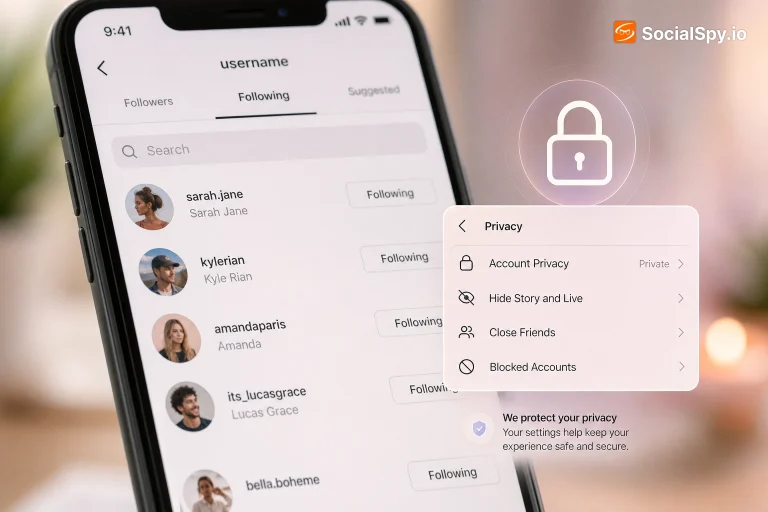
- Restrict story sharing — Under Settings > Privacy > Story, you can limit who can share your story to their own story or via DM, reducing redistribution (though not screenshotting).
- Turn off “Allow Resharing to Stories” for feed posts, which stops others from resharing your content directly, though screenshots still work regardless.
- Use Close Friends to shrink your audience, lowering the odds of a screenshot happening in the first place, even though it doesn’t prevent it technically.
- Switch to a private account if audience control matters more than reach — this doesn’t stop screenshots from approved followers, but it does block strangers entirely.
What Doesn’t Work
- Third-party “screenshot alert” apps — most are scams or request excessive permissions.
- Disabling screenshots at the OS level for one specific app — neither iOS nor Android currently offers granular per-app screenshot blocking for Instagram.
- Watermarking as full prevention — it deters casual redistribution but doesn’t stop the screenshot itself.
Conclusion
Instagram’s screenshot policy hasn’t fundamentally changed in years, and that consistency is worth remembering the next time a rumor claims otherwise: regular posts, Stories, Reels, and standard DMs are never flagged, and the only real exception remains disappearing/vanish-mode media in Direct Messages. Anyone using Instagram in 2026 should operate under the assumption that all content is screenshot-able and shareable outside the app, because that’s the platform’s actual default behavior, not a hidden risk. The practical move isn’t chasing a notification feature that doesn’t exist — it’s adjusting privacy settings, audience size, and content strategy around the reality that screenshots are silent, permanent, and untraceable everywhere except that one narrow DM exception.
FAQ
No. Instagram removed Story screenshot notifications years ago and has not reintroduced them; screenshotting a Story remains completely silent regardless of app version or account privacy setting.
Only for disappearing photos/videos or Vanish Mode media set to view once — regular text messages and standard photos sent in a normal thread never trigger a screenshot alert.
No legitimate third-party app can reliably detect or report screenshots on regular Instagram content, since Instagram’s own API doesn’t expose that data; apps claiming otherwise are typically non-functional or unsafe to install.