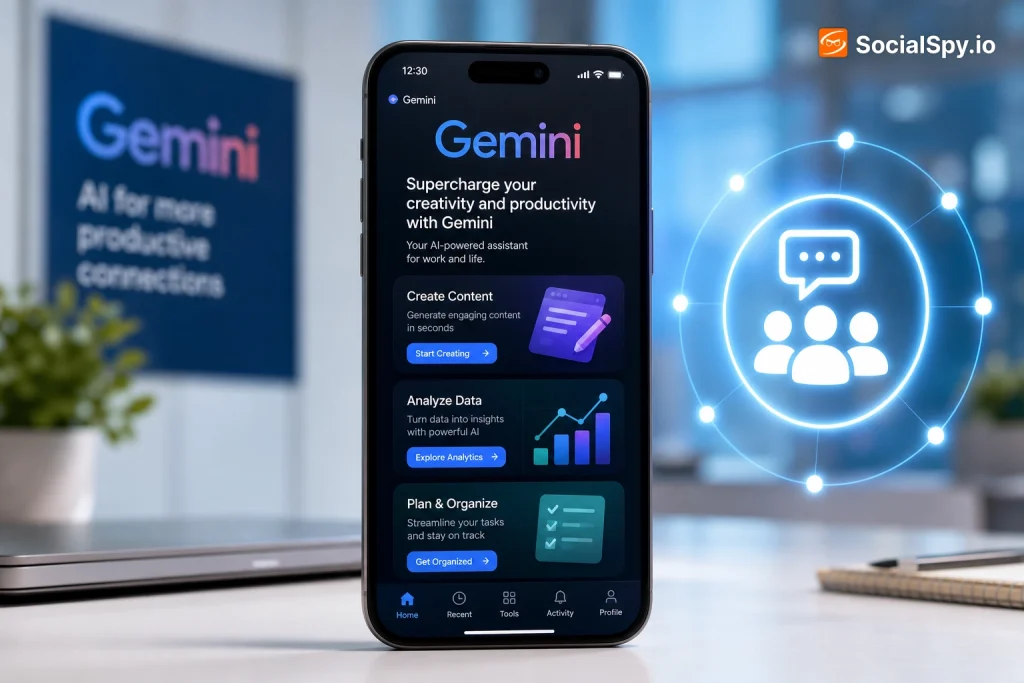
Google’s Gemini has quietly become one of the most practical AI tools for marketers, not because it’s flashier than ChatGPT, but because it’s wired directly into the products brands already use every day — Search, Ads, YouTube, Docs, and Chrome. Knowing how to actually use it for promotion, rather than just chatting with it, is where most people leave value on the table. This guide breaks down the real workflows, tools, and settings that turn Gemini into a promotion engine instead of a glorified chatbot.
Why Gemini Is Different From Other AI Tools for Marketers
Most marketers default to ChatGPT because it was first, but Gemini has structural advantages specifically for promotion work. It’s natively multimodal, meaning it can analyze a video, an image, a PDF brand guide, and a spreadsheet of ad performance data in the same conversation — no plugins required.
It also has a much larger context window, which matters more than people realize. A 1-million-token context window (available in Gemini 1.5 Pro and 2.5 Pro) can hold roughly 750,000 words, meaning you can drop in an entire competitor’s blog archive, your full brand style guide, and six months of customer reviews in a single prompt.
| Feature | Gemini | ChatGPT |
|---|---|---|
| Native Google Search grounding | Yes, real-time | Limited, via browsing tool |
| Max context window | 1M–2M tokens (Gemini 2.5 Pro) | 128K–200K tokens (GPT-4o/o1) |
| Direct Google Ads integration | Yes, built into Performance Max | No |
| YouTube/video understanding | Native video analysis | No native video input |
| Workspace integration | Docs, Sheets, Gmail, Slides | Requires third-party plugins |
The upshot: if your promotion work touches Google Search visibility, YouTube, or Google Ads, Gemini has a home-field advantage that no competing model can currently match.
Setting Up the Right Gemini Tier for Promotion Work
Before writing a single prompt, pick the right access point. Google splits Gemini across several products, and using the wrong one is the most common reason people think Gemini is “worse” than ChatGPT.
- Gemini app (free) — Good for quick captions, hashtag brainstorming, and basic copy edits. Limited to Gemini 2.0 Flash-class responses on the free tier.
- Google AI Pro ($19.99/month) — Unlocks Gemini 2.5 Pro, 1TB storage, Gemini in Gmail/Docs/Sheets, and NotebookLM Plus. This is the sweet spot for solo marketers and small teams.
- Google AI Ultra ($249.99/month) — Adds Deep Research at higher limits, early access to Veo video generation, and the highest usage caps. Built for agencies running heavy content volume.
- Google AI Studio (free, API-based) — For anyone comfortable with a bit of technical setup, this gives free access to Gemini 2.5 Flash and Pro models for building custom promotion tools, like an auto-generated weekly content calendar script.
- Vertex AI — The enterprise route, used when a brand wants Gemini embedded into its own CRM or marketing automation stack (common with companies already on Google Cloud).
If you’re only using the free Gemini app, you’re capped at older, faster-but-shallower models. Most of the promotional heavy lifting described below assumes at least Gemini 2.5 Pro access.
Building a Content Engine With Gems and Multimodal Prompts
Gemini’s equivalent of OpenAI’s “Custom GPTs” is called Gems. A Gem is a saved persona with locked-in instructions, tone, and reference material that you can reuse without re-explaining your brand every time.
Setting up a brand Gem
- Open Gemini Advanced and go to the “Gems” tab.
- Upload your brand style guide, a handful of high-performing past posts, and your audience persona docs.
- Write instructions specifying platform-specific constraints (e.g., “Instagram captions under 125 characters before the ‘more’ cutoff, always end with a question”).
- Save the Gem and pin it so it’s one click away instead of a fresh chat every time.
Once built, this Gem becomes a repeatable asset. Marketing teams at agencies often build 3-4 Gems: one for social captions, one for ad headlines, one for email subject lines, and one strictly for SEO blog outlines.
The multimodal side is where Gemini pulls ahead for social promotion specifically. You can upload a raw 10-minute podcast video and ask Gemini to identify the three most quotable 30-second segments, complete with timestamps, for Reels or TikTok repurposing — something that would require a separate transcription tool in most other AI workflows.
Using Gemini Inside Google Ads and Demand Gen
This is the section most articles about “Gemini for marketing” skip entirely, and it’s arguably the highest-leverage use case. Google has embedded Gemini directly into the Google Ads platform, not as a chatbot bolted on the side, but as the engine behind campaign creation itself.
- Conversational campaign creation — Inside Google Ads, you can now describe a campaign in plain language (“promote our new running shoe line to women 25-40 interested in fitness”) and Gemini drafts the Performance Max campaign structure, including audience signals and asset groups.
- Asset Studio — Generates ad images and short video variations from a single product photo or existing creative, using Imagen 3 under the hood, so you’re not manually resizing assets for six placements.
- Demand Gen campaigns — Gemini helps write headline and description variations specifically tuned for YouTube Shorts, Discover feed, and Gmail placements, three surfaces that behave very differently from standard search ads.
- Automated performance summaries — Ask Gemini in Ads to explain a spend spike or CTR drop in plain English instead of digging through six report tabs.
This matters because it collapses two previously separate jobs — creative generation and campaign setup — into one workflow inside the same platform where the ads actually run.
Promoting Through Search: Gemini, AI Overviews, and the New SEO Reality
Gemini isn’t just a writing tool for SEO content anymore; it’s part of the ranking environment itself. Google’s AI Overviews, which now appear on a large share of informational searches, are powered by a customized version of the Gemini model.
That changes what “promotion through content” actually means. Ranking on page one no longer guarantees visibility if an AI Overview answers the query before a user scrolls to organic results.
- Write for extraction, not just ranking. Use Gemini itself to test how it would summarize your draft article, then adjust structure so your brand’s specific claim or stat is the one it would likely cite.
- Front-load direct answers. Gemini-based Overviews favor content with a clear, quotable answer near the top of a section rather than answers buried in narrative paragraphs.
- Use Gemini’s grounding feature to fact-check outbound claims. In Google AI Studio, enabling “Grounding with Google Search” lets Gemini cite live sources, which is useful for verifying that promotional stats you’re publishing are still accurate before they go out.
A page optimized only for classic blue-link SEO in 2025 is optimizing for a shrinking slice of search traffic. Optimizing for how Gemini would summarize your page is quickly becoming the more important skill.
A Real Workflow: Launching a Product With Gemini End to End
Here’s how these pieces fit together in practice, using a hypothetical small skincare brand launching a new serum.
- Research phase: Use Gemini’s Deep Research feature (available on AI Pro and Ultra) to pull a competitive landscape report on similar serum launches, summarizing pricing, influencer partnerships, and review sentiment across dozens of sources in one report.
- Positioning: Feed that research plus your customer survey data into your brand Gem and ask for three distinct positioning angles (e.g., “clean beauty,” “dermatologist-backed,” “budget alternative to prestige brands”).
- Content creation: Generate a 2-week content calendar with platform-specific formats — TikTok hook scripts, Instagram carousel copy, and a long-form YouTube script — all from the same core positioning to keep messaging consistent.
- Visual assets: Use Gemini’s Imagen integration to generate product-in-context lifestyle images for ad creative testing before committing to a full photoshoot.
- Paid promotion: Feed the winning organic content angles into Google Ads’ Demand Gen campaign builder, letting Gemini draft ad variations based on what already performed organically.
- Search visibility: Publish a supporting blog post structured for AI Overview extraction, with the core product claim stated plainly in the first 100 words.
- Measurement: Ask Gemini inside Google Ads or Analytics to summarize week-one performance and flag which asset group is underperforming relative to benchmark CTR.
None of these steps require switching tools, because Gemini threads through research, creative, paid media, and analytics inside the Google ecosystem.
Common Mistakes That Undercut Gemini-Driven Promotion
Most disappointing results with Gemini trace back to a handful of avoidable setup errors, not the model’s actual capability.
- Using the free tier and expecting Pro-level output. Gemini 2.0 Flash on the free app is fast but noticeably shallower on nuanced brand voice than 2.5 Pro.
- Never building a Gem. Re-explaining brand tone in every new chat wastes time and produces inconsistent output across a team.
- Ignoring the grounding toggle. Without “Search grounding” enabled in AI Studio, Gemini can still hallucinate stats or outdated pricing, exactly like any other LLM.
- Treating it as text-only. Skipping the video/image analysis features means missing Gemini’s biggest differentiator versus ChatGPT for social content repurposing.
- Publishing AI Overview-unfriendly content. Long, meandering intros before the actual answer reduce your odds of being the cited source in Gemini-powered search summaries.
The Bottom Line for Marketers
Gemini’s real value isn’t that it writes marginally better captions than a competing chatbot — it’s that Google has stitched it into the actual pipes of digital promotion: Search, Ads, YouTube, and Workspace. Brands treating it as just another chat window are using maybe a third of what it does.
The teams getting outsized results are the ones building persistent Gems for brand consistency, feeding Gemini’s massive context window with real performance data instead of generic prompts, and letting it operate inside Google Ads directly rather than exporting copy back and forth. That integration gap is likely to widen, not narrow, as Google continues pushing Gemini deeper into AI Overviews and campaign automation throughout 2025 and beyond.
Start small: build one Gem, run one Demand Gen campaign through Gemini’s conversational builder, and compare the output against your existing process. The gap will be obvious within a single campaign cycle.
Frequently Asked Questions
Is Gemini AI free to use for promoting a business?
Yes, the base Gemini app is free and works for basic captions, ideas, and short-form copy using Gemini 2.0 Flash. For deeper research, larger context windows, and Workspace integration, you’ll need Google AI Pro at $19.99/month, and heavy content teams often justify Google AI Ultra at $249.99/month for higher usage limits and earlier access to tools like Veo video generation.
Can Gemini actually create and run ad campaigns, or just write copy for them?
Gemini goes beyond copywriting inside Google Ads — its conversational campaign builder can structure a full Performance Max or Demand Gen campaign, including audience signals and asset groups, based on a plain-language description of your goal, though you should still review targeting before launch.
How is promoting content with Gemini different from doing SEO for classic Google Search?
Because Gemini now powers Google’s AI Overviews, ranking well isn’t enough on its own; content needs to be structured with a clear, quotable answer near the top so Gemini is more likely to extract and cite it directly in the AI-generated summary shown above traditional search results.