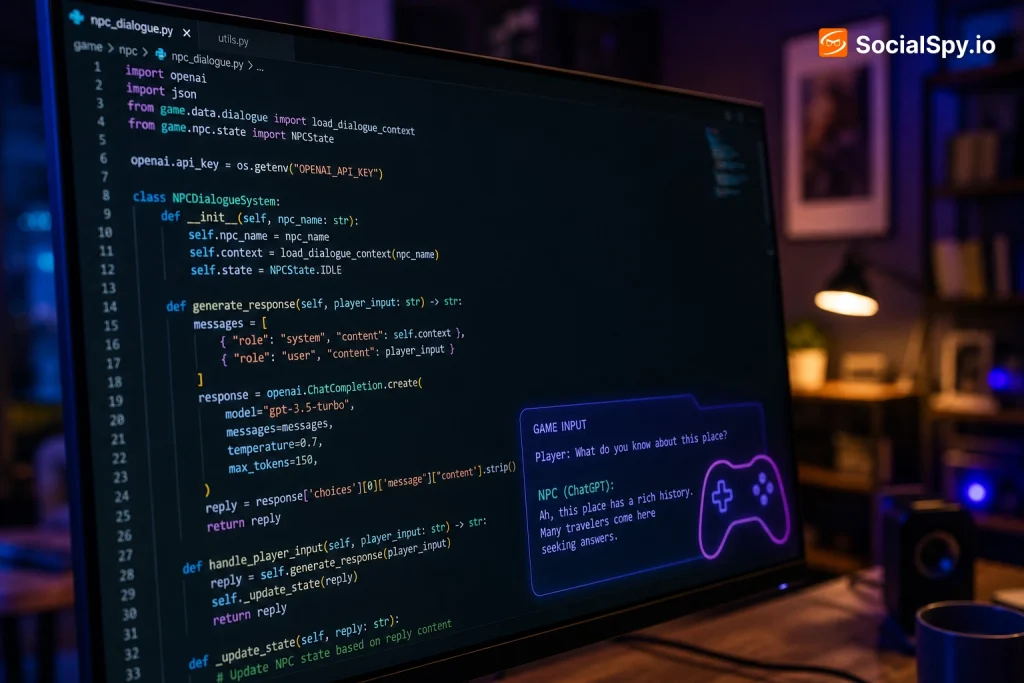
Ask ChatGPT to build you a game and it will happily spit out a wall of JavaScript or Python in seconds — the hard part is turning that text into something you can actually click “play” on. Getting from a code block to a working browser game or desktop app requires knowing which tools to paste it into, how to catch the errors ChatGPT quietly introduces, and how to iterate without starting over each time.
This guide walks through the exact workflow, tool by tool, that turns AI-generated game code into a playable build in under 15 minutes.
What “Running ChatGPT Game Code” Actually Involves
ChatGPT doesn’t execute game code for you inside the chat window unless you’re using a very specific feature. There are three distinct paths, and mixing them up is the number one reason people get stuck.
The Three Execution Paths
- ChatGPT Canvas (GPT-4o and GPT-4.1 models): Lets you generate and preview simple HTML5/JavaScript games directly inside a side panel, with a live iframe preview — this is the closest thing to “running” code natively in ChatGPT.
- Code Interpreter / Advanced Data Analysis: Runs a sandboxed Python environment, but it’s built for data analysis, not graphics — it can run text-based or Pygame logic in headless mode, but it can’t render a window with a scrolling background or sprite animation you can click on.
- External environment: The most reliable method for anything beyond a tic-tac-toe game — you copy the code out and run it in a real browser, IDE, or engine like Unity or Godot.
Most working game demos you see shared online from “ChatGPT built this” posts were not run inside ChatGPT at all — they were pasted into CodePen, Replit, or a local HTML file and debugged there.
Step-by-Step: From Prompt to Playable Game
The process is the same whether you’re building a 2D platformer in JavaScript or a text adventure in Python. Here’s the sequence that consistently works.
- Pick a language before you prompt. Tell ChatGPT explicitly: “Write this as a single self-contained HTML file using vanilla JavaScript and the Canvas API” — vague requests like “make me a game” often produce split files or invented libraries.
- Ask for a single-file version first. Multi-file projects (separate CSS, JS, asset folders) are harder to run quickly; a self-contained HTML file with inline <script> and <style> tags runs by double-clicking it.
- Copy the entire code block, including the opening <!DOCTYPE html> tag — ChatGPT sometimes truncates the top or bottom of long responses, so scroll to confirm the closing </html> tag is present.
- Paste into a plain text editor (Notepad, TextEdit, or VS Code) and save the file with a .html extension, e.g.
game.html. - Double-click the file to open it in Chrome, Firefox, or Edge. If it’s a Python game, you’ll instead run it via terminal (covered below).
- Open the browser console (F12 or Cmd+Option+I) to check for red error messages if the game doesn’t respond to input or shows a blank screen.
- Copy any error text back into ChatGPT verbatim and ask it to fix that specific line — this loop is faster than asking it to “regenerate the whole game.”
Choosing the Right Platform to Run the Code
Where you run the code matters as much as what ChatGPT writes. Each option trades off setup time against how much control and shareability you get.
| Platform | Best For | Setup Time |
|---|---|---|
| Local HTML file | Quick single-player prototypes, no internet needed | Under 1 minute |
| CodePen | Sharing a live demo link instantly, embedding p5.js or Three.js | 1-2 minutes |
| Replit | Python/Pygame games, multiplayer server logic, persistent hosting | 3-5 minutes |
| VS Code + Live Server extension | Larger projects with multiple files and assets | 5-10 minutes (one-time install) |
| Unity or Godot | 3D games or anything needing physics engines and asset pipelines | 15+ minutes, steep learning curve |
For 90% of what people ask ChatGPT to build — Snake, Breakout, a simple platformer, a card game, a quiz game — a local HTML file or CodePen is genuinely all you need. Save Replit and Unity for projects that need a server, a database, or 3D rendering.
Running Python-Based Games (Pygame)
If you specifically ask for a Python game, ChatGPT will almost always default to Pygame, the most common library it was trained on. Unlike HTML5 games, these require a local Python installation — you can’t just double-click a .py file and get a game window on most systems without some setup.
The Standard Pygame Workflow
- Install Python 3.10 or newer from python.org (check “Add to PATH” during install on Windows).
- Open a terminal and run
pip install pygame. - Save ChatGPT’s code as
game.py. - Run it with
python game.py(orpython3 game.pyon Mac/Linux). - If you get
ModuleNotFoundError, it almost always means Pygame wasn’t installed in the same Python environment your terminal is calling — paste the exact error back to ChatGPT.
One quirk worth knowing: ChatGPT frequently writes Pygame code assuming a slightly older API (like pygame.time.Clock() usage patterns from Pygame 1.9), which still works but occasionally throws deprecation warnings. These are safe to ignore unless they escalate to actual errors.
Common Errors and How to Fix Them Fast
ChatGPT-generated game code fails in predictable ways. Recognizing the pattern saves you from re-prompting from scratch.
- Blank white screen, no console errors: Usually means the canvas element’s width/height wasn’t set, or the game loop never called
requestAnimationFrame— ask ChatGPT to “add a console.log at the start of the game loop to confirm it’s running.” - “Uncaught ReferenceError: X is not defined”: A function or variable is being called before it’s declared, often because ChatGPT split code across what it assumed were multiple files. Ask it to consolidate into one script block.
- Controls don’t respond: Almost always a missing
event.preventDefault()on arrow keys, which by default scroll the browser page instead of moving your character. - Game runs too fast or too slow: ChatGPT sometimes hardcodes frame-independent movement incorrectly — ask it to use
deltaTimebased movement instead of fixed pixel increments per frame. - Images/sprites don’t load: ChatGPT cannot generate actual image files — it will reference placeholder paths like
player.pngthat don’t exist. You either need to supply your own images or ask it to draw shapes withctx.fillRect()instead. - Python “IndentationError”: Copy-pasting from ChatGPT’s UI sometimes mangles whitespace, especially with mixed tabs/spaces — re-copy using the “Copy code” button in the top-right of the code block rather than manually selecting text.
Matching the Game Type to the Right Approach
Not every game concept is equally suited to being generated and run this way. ChatGPT’s success rate drops sharply as complexity and asset requirements increase.
| Game Type | Recommended Stack | Success Rate |
|---|---|---|
| Puzzle / logic (2048, Tic-Tac-Toe, Sudoku) | Vanilla JS + HTML Canvas | Very High — usually works first try |
| Arcade (Snake, Pong, Breakout) | Vanilla JS or p5.js | High — 1-2 fix rounds typical |
| Platformer with physics | Phaser.js or Matter.js | Moderate — collision bugs common |
| Text adventure / interactive fiction | Python or plain JavaScript | Very High |
| 3D game | Three.js or Unity C# | Low without manual coding knowledge |
| Multiplayer game | Node.js + WebSockets, hosted on Replit | Low — networking logic is where ChatGPT hallucinates most |
If you’re new to this, start with something in the “Very High” or “High” rows. A working Snake game gives you a template you understand, which makes it far easier to spot when ChatGPT’s later, more ambitious code goes off the rails.
Prompting Techniques That Reduce Debugging Time
How you phrase the initial request has an outsized effect on how much cleanup work follows. A few specific techniques consistently produce more runnable code.
- Specify the library by name and version-era. “Use Phaser 3” produces cleaner code than “use a JavaScript game library,” which might get you an obscure or outdated framework.
- Ask for comments at each major block. This doesn’t just help you read the code — it forces the model to reason more explicitly, which measurably reduces logic errors in longer responses.
- Request incremental builds. Instead of “build a full platformer with enemies, levels, and a scoring system,” ask for a moving player and a static floor first, confirm it runs, then add one feature per follow-up message.
- Set explicit constraints. “No external images, use only colored rectangles and circles” avoids the broken-image-path problem entirely.
- Ask it to state assumptions. Adding “list any assumptions you made about controls or screen size” surfaces mismatches before you even run the code.
The single biggest improvement in output quality comes from building iteratively rather than asking for a “complete game” in one shot — a 400-line response has far more room for internal inconsistency than four 100-line responses reviewed one at a time.
Hosting and Sharing Your Finished Game
Once a game runs locally, most people want to share it without asking friends to download an HTML file. Three free options cover almost every use case.
- GitHub Pages: Push your HTML/JS/CSS files to a public GitHub repo, enable Pages in settings, and get a free live URL — best for anyone comfortable with basic Git commands.
- Itch.io: Zip your game folder and upload it as an “HTML5” project; itch.io is the standard destination for indie and hobbyist browser games and has built-in discovery traffic.
- Vercel or Netlify: Drag-and-drop deployment for a folder of static files, generating a live link in under a minute with no account setup required for a one-off share.
For Python/Pygame games, hosting is trickier since Pygame doesn’t run in a browser natively. The workaround most creators use is pygbag, a tool that compiles Pygame projects to WebAssembly so they can run in any browser — worth mentioning to ChatGPT directly if browser deployment is your end goal, since it will adjust the code structure accordingly.
Conclusion
ChatGPT is genuinely good at producing a working skeleton for simple, well-scoped games — Snake, Pong, 2048, and text adventures come out nearly runnable on the first try. Where people get frustrated is skipping the execution environment step and expecting the chat window itself to be a game console, or asking for an ambitious multiplayer 3D game in a single prompt and being surprised when it doesn’t compile.
The real skill isn’t prompting for a “perfect” game — it’s setting up a fast copy-paste-run-debug loop and building in small, testable increments. Treat ChatGPT as a very fast junior developer who needs your terminal and your error messages to actually finish the job, and the gap between “cool AI demo” and “game I can actually play” closes in a handful of iterations.
Frequently Asked Questions
Can ChatGPT run and show me the game directly without any other tools?
Only partially. ChatGPT’s Canvas feature (available to Plus and Team users on GPT-4o/4.1) can render simple HTML5/JavaScript games in a live preview pane inside the chat, but it’s limited to basic Canvas-API games without external assets or libraries loaded from a CDN in some cases. For anything more complex, or for Python-based games, you still need to export the code to an external environment like a browser file or Replit.
Why does the game ChatGPT wrote work in the preview but not when I save and open it myself?
This usually happens when ChatGPT references an external library via a CDN link (like Phaser or Three.js) that either loads slowly, is blocked by local file security restrictions, or was written with a slightly wrong version number. Opening the file with a local server (via VS Code’s Live Server extension) instead of double-clicking it directly fixes most of these CDN and CORS-related failures.
Is it better to use GPT-4o, o1, or GPT-4.1 for generating game code?
For straightforward arcade-style games, GPT-4o and GPT-4.1 are fast and generally sufficient. For anything involving more complex logic — like AI opponents, procedural level generation, or multi-step physics interactions — the reasoning-focused o1 model tends to produce more internally consistent code with fewer logic contradictions, though it’s slower and only worth using when simpler models keep producing buggy results.