Video has quietly become the dominant format on X (formerly Twitter), and the tools built around it have evolved just as fast. Whether you’re trying to download a clip someone posted, edit a video before you post it, or figure out why your last video flopped, the landscape of “Twitter video tools” in 2026 looks nothing like it did even two years ago.
Why Video Tools Matter More on X Than Ever
X’s algorithm has leaned harder into video with every update since Elon Musk’s team rebuilt the recommendation engine around “time spent,” and video simply keeps people scrolling longer than static images or text. Internal X engineering blog posts have confirmed that video posts now receive priority placement in the For You timeline, especially clips longer than 15 seconds that hold viewer attention past the first three seconds.
That shift has created a whole ecosystem of tools serving three distinct needs.
- Downloading — saving a video someone else posted for personal use, research, or re-uploading elsewhere (with permission or fair use in mind)
- Editing and captioning — trimming, adding subtitles, resizing for X’s native player, and optimizing for autoplay-without-sound viewing
- Analytics and repurposing — understanding watch time, completion rate, and how a clip performs compared to competitors’ content
This mirrors a broader trend covered in The Rise of Short-Form Video and What It Means for Marketers, where short clips under a minute now drive a disproportionate share of engagement across nearly every platform, not just X.
Industry analysts tracking X’s ad platform note that video posts on X now generate roughly 10x the average engagement of a text-only tweet, a gap that has widened steadily since X Premium creators gained access to longer upload limits.
Downloading Videos From X: What Actually Works in 2026
X still does not offer a native “save video” button, which is exactly why third-party downloaders exist and remain in constant demand. The basic workflow hasn’t changed much — copy the tweet URL, paste it into a downloader, choose a resolution, and export an MP4 — but the reliability of these tools varies wildly because X periodically changes its backend video-delivery structure to slow scraping.
The Most Reliable Options Right Now
- SaveTweetVid — a browser-based tool with no app download required; pastes a link and outputs MP4 in multiple resolutions up to the original upload quality
- TwitterVideoDownloader.com — one of the longest-running tools in this space, now supporting X’s newer `.co` short-link format
- SnapTweet — bundles video downloading with GIF conversion, useful for turning a clip into a shareable meme format
- 4K Video Downloader+ — a desktop app (Windows/Mac) that handles batch downloads, useful if you’re archiving a thread full of clips
- Mobile shortcuts — iOS Shortcuts and Android share-sheet integrations that let you download directly from the X app without opening a browser
A few caveats worth knowing before you rely on any of these:
- Downloaders can only pull videos from public accounts; protected/private accounts are inaccessible by design
- Quality is capped at whatever resolution the original poster uploaded — a downloader can’t “upscale” beyond the source file
- Some tools inject ads or require account creation; browser-based options with no login tend to be safer for casual use
- X has cracked down on downloader browser extensions in its own store, so most reliable tools now live as standalone websites instead
Native X Video Editing: What’s Built Into the Platform
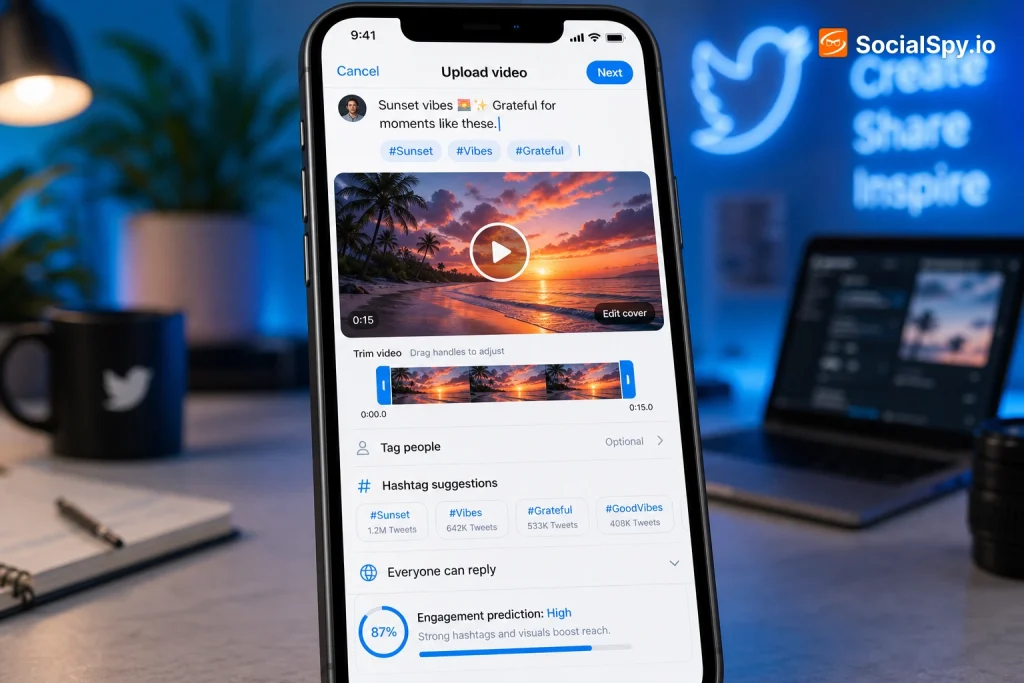
The bigger story in 2026 isn’t downloading — it’s what X has built directly into its own composer. Since integrating Grok more deeply into the creation flow, X now offers in-app trimming, auto-captioning, and even AI-assisted background removal for Premium+ subscribers.
| Feature | Free Tier | X Premium | X Premium+ |
|---|---|---|---|
| Basic trim/crop | Yes | Yes | Yes |
| Auto-generated captions | Limited (30s clips) | Full length | Full length |
| Max upload length | 2 minutes 20 seconds | 60 minutes | 4 hours |
| AI background/noise cleanup | No | No | Yes |
| Video analytics dashboard | Basic views count | Full retention graph | Full retention graph + benchmarking |
This tiered structure means casual posters can still get a serviceable edit done without leaving the app, but anyone posting video regularly — podcast clips, interviews, live-stream highlights — is functionally pushed toward a paid tier to unlock longer uploads and real analytics.
Auto-captioning deserves special mention because it directly affects reach. X’s own data has shown that captioned videos hold viewers significantly longer than uncaptioned ones, since most people still scroll with sound off by default. If you’re not using the native caption tool, you’re leaving retention (and therefore algorithmic reach) on the table.
Third-Party Editing Tools That Go Beyond X’s Native Options
Native tools are convenient but limited in creative control. Most serious X creators still edit elsewhere before uploading, then use X only as the distribution point.
For Quick Mobile Edits
- CapCut — still the most widely used mobile editor among X creators, with templates specifically labeled for “X/Twitter format” (16:9 and 1:1 aspect ratios)
- InShot — simpler interface, faster export, popular for quick reaction clips and commentary videos
- Descript — increasingly popular for X threads that pair video with a transcript, since it edits video by editing text
For Desktop-Level Production
- Adobe Premiere Rush — a lightweight version of Premiere Pro aimed at social-first editors who need multi-track editing without the full desktop suite’s complexity
- DaVinci Resolve — free and extremely powerful, though the learning curve is steep for someone just posting clips a few times a week
- Kapwing — browser-based, collaborative, and popular with small teams who need to approve edits before a video goes live
One practical tip that gets overlooked: X’s player crops thumbnails aggressively on mobile, so editing your first frame deliberately (rather than letting it default to frame one of the raw footage) makes a measurable difference in click-through before autoplay even kicks in. Creators optimizing for this often borrow the same framing techniques discussed in How to Get More Views on Short-Form Video Without Paying for Ads, where thumbnail composition and the first-second hook are treated as more important than the edit itself.
Analytics Tools: Measuring What Your Video Actually Did
Downloading and editing are only half the equation — understanding performance is where most casual users fall short. X’s native analytics (found under each post’s detail view) show basic numbers, but they undersell what’s actually happening with a video.
Here’s what the native dashboard shows versus what it leaves out:
- Shown natively: total views, likes, reposts, replies, bookmarks
- Shown natively (Premium only): average watch time, completion rate at 25/50/75/100%
- Not shown at all: how your video’s retention compares to accounts in your niche, or whether a specific caption/thumbnail choice drove the view spike
This gap is exactly why third-party analytics dashboards — tools like Social Blade for public trend tracking, or paid suites like Sprout Social and Later for cross-platform comparison — remain popular among anyone posting video as part of a business strategy rather than a hobby.
A quick framework for reading your own video data:
- Check the 3-second drop-off. If more than half your viewers leave before 3 seconds, the problem is your hook, not your edit.
- Compare completion rate, not just views. A video with 5,000 views and 60% completion is outperforming one with 20,000 views and 8% completion in the algorithm’s eyes.
- Track bookmark rate separately from likes. X has indicated bookmarks weigh more heavily in resurfacing content days after posting.
- Watch for repost-to-view ratio spikes, which often signal a clip is being shared into group chats or Discord servers outside the platform.
Choosing the Right Tool for Your Actual Use Case
Not everyone needs the same setup, and picking based on what a “top 10 tools” listicle recommends usually leads to overkill. It helps to think in terms of what you’re actually trying to accomplish.
- You just want to save a funny clip for later → a no-login browser downloader like SaveTweetVid is enough; don’t bother installing a desktop app for this
- You post video content weekly as part of a brand or personal presence → invest in X Premium for the analytics and longer upload window, plus CapCut or Kapwing for editing
- You run a business account posting interviews, product demos, or podcast highlights → Premium+ for the 4-hour upload ceiling, Descript for transcript-based editing, and a cross-platform analytics suite
- You’re repurposing X video into other formats (Reels, TikTok, YouTube Shorts) → prioritize a downloader that preserves original resolution, since re-compression from a low-quality save compounds badly across multiple platforms
It’s also worth remembering that the tools around your video only matter if the account posting it is set up to convert that attention into follows. A polished clip paired with a vague or outdated bio wastes the click; pairing strong video habits with a clear, current profile — see the ideas in Twitter Bio Template — closes that loop instead of leaving it open.
What’s Changing as Platforms Fragment
Video tooling on X doesn’t exist in isolation anymore. As users split their attention across X, Threads, and Bluesky, the tools built for downloading and analyzing video are increasingly cross-platform by design rather than X-exclusive.
That fragmentation is reshaping the tool market itself:
- Downloaders now commonly support X, TikTok, Instagram, and YouTube links in a single interface, since users rarely stay on one platform
- Analytics suites market themselves on “cross-platform video benchmarking” rather than single-platform depth
- Editing templates are built at multiple aspect ratios by default (9:16, 1:1, 16:9) so one edit exports everywhere at once
This mirrors the broader competitive dynamic explored in Why Threads and Bluesky Are Competing for Twitter’s Old Audience, where creators are hedging their video strategy across platforms rather than betting everything on X the way they might have a few years ago.
Conclusion
Twitter video tools in 2026 fall into three buckets that solve genuinely different problems: downloaders for grabbing existing content, editors for producing new content, and analytics platforms for understanding what worked. Trying to use one tool for all three jobs is usually where people get frustrated. The smarter approach is matching the tool to the specific bottleneck — a slow hook, a missing caption, an upload cap — rather than chasing whatever tool is trending that week, because X’s own algorithm rewards the fundamentals (retention, captions, framing) far more than any single app’s feature list.
FAQ
Downloading for personal, private use is generally low-risk, but re-uploading someone else’s video as your own content without permission or credit can violate copyright and X’s own platform rules. Always check whether the original poster has an open-reuse policy or explicitly allows reposting before publishing downloaded footage elsewhere.
No — free accounts still get basic trimming and short auto-captions, and most editing quality actually comes from tools like CapCut or Descript used before uploading. Premium mainly unlocks longer upload limits and deeper analytics, which matter more for frequent or business-focused posters than for casual users.
This almost always traces back to the first three seconds — either the thumbnail frame doesn’t create curiosity or the opening line doesn’t deliver on what the caption promised. Fixing the hook and adding captions for sound-off viewing typically improves completion rate faster than any editing software upgrade.